TradingView Is The Default Charting Layer For Most Traders
TradingView is the charting platform most traders can use without changing their whole workflow. It works in the browser, has mature desktop and mobile apps, supports a huge market universe, and gives traders a common language for charts, alerts, indicators and shared ideas. For a site like TradingToolsHub, it belongs near the top of charting rankings because it solves an everyday problem: traders can analyze almost anything without installing a broker-specific terminal first.
The product is not perfect. It is not a trading journal, not a replacement for broker execution in every market, and not always the cheapest way to get every real-time exchange feed. But for charting, watchlists, Pine Script indicators, alerts and social chart sharing, it is still the default platform to beat.
Where TradingView Wins
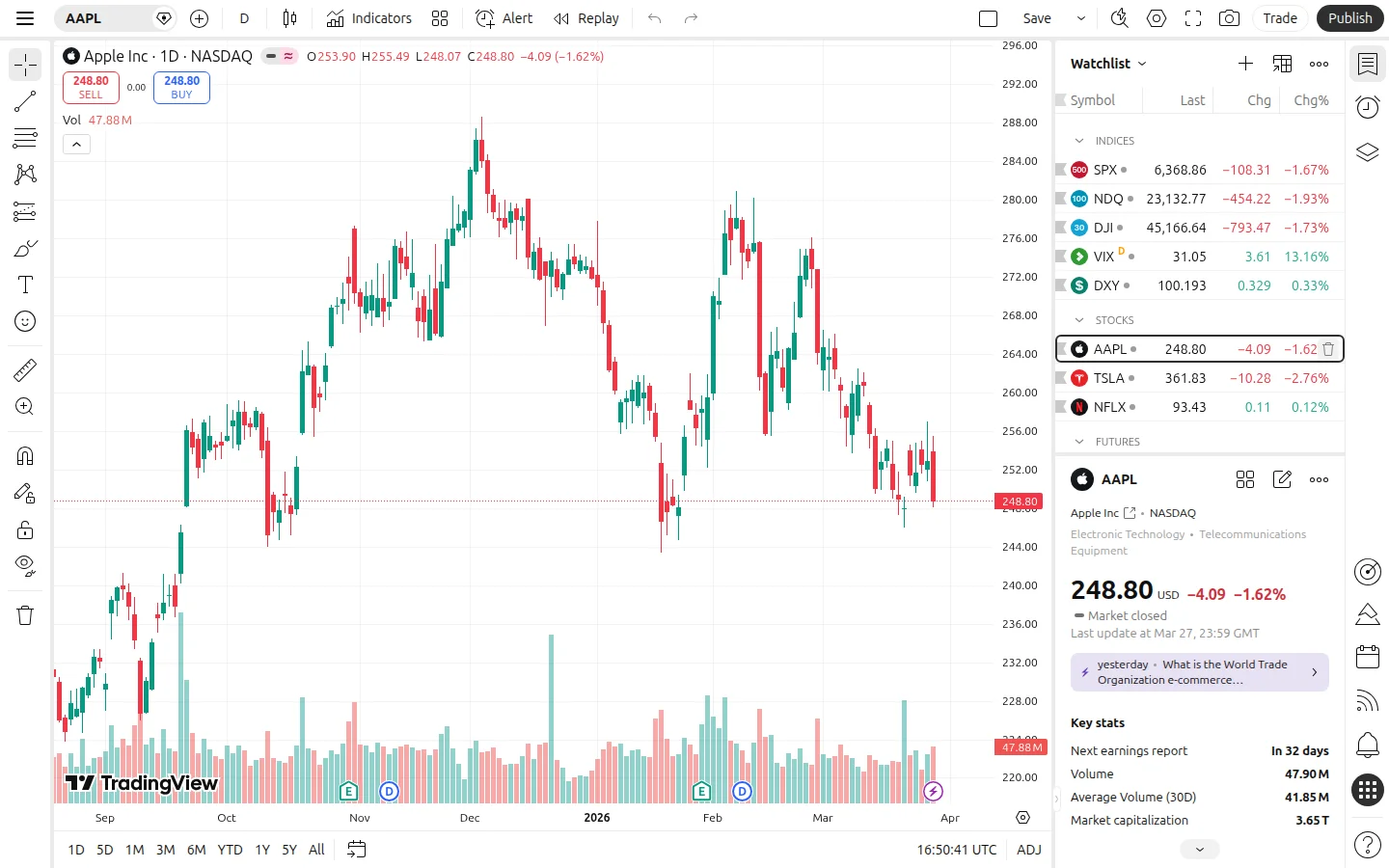
The strongest part of TradingView is the charting environment. A trader can move between stocks, ETFs, futures, forex, crypto, options data and economic symbols without feeling like every asset class needs a different application. The built-in indicators and drawing tools are enough for most discretionary traders, while Pine Script gives more advanced users a way to build custom indicators and strategies.
Alerts are another real advantage. A good alert setup changes how a trader works: instead of staring at charts all day, the trader can define the price, indicator or custom condition that matters and let the platform notify them. That is especially useful when TradingView is paired with a scanner such as Finviz or a review system such as TraderTrac.
Pricing And Plan Choice
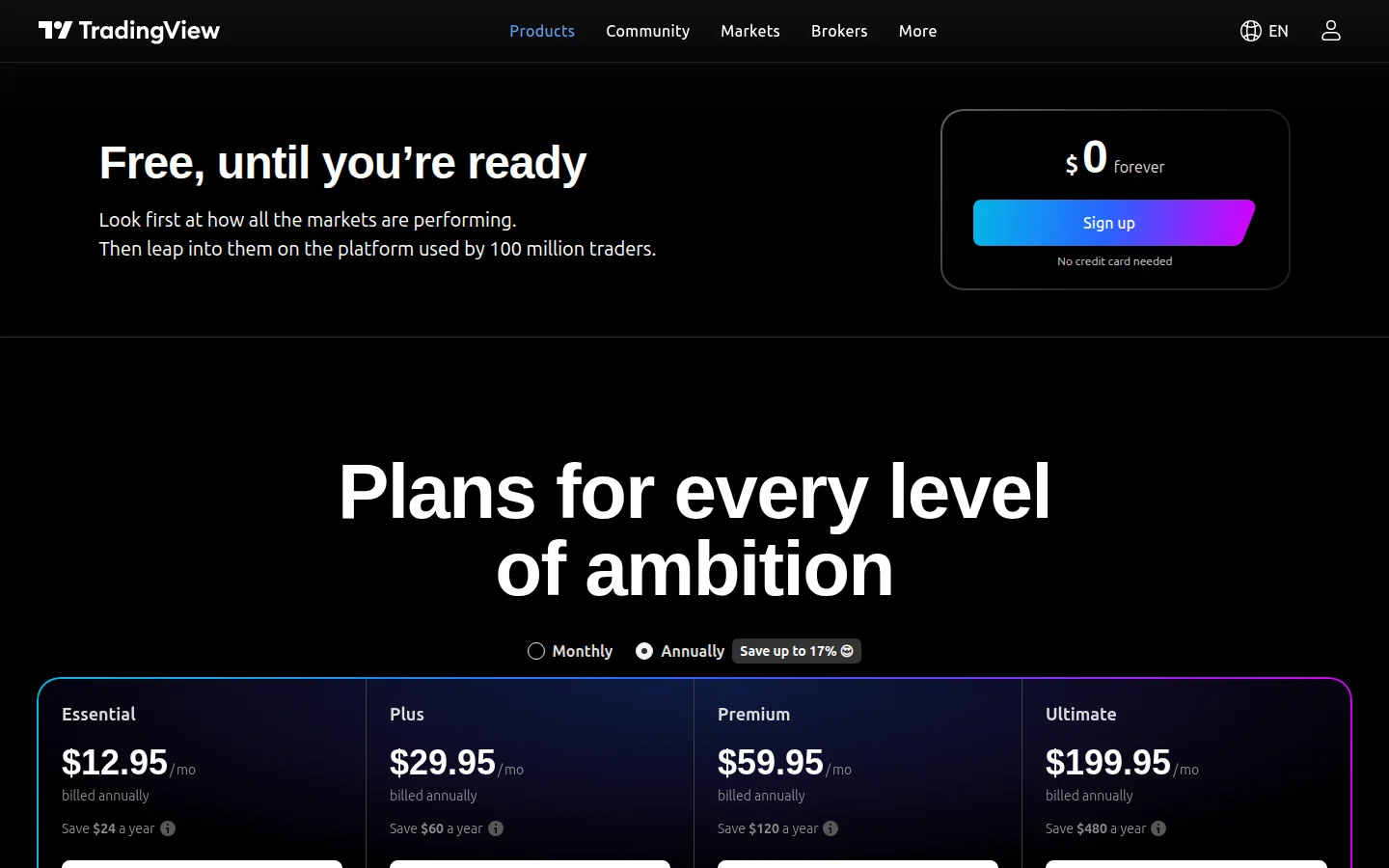
TradingView has a useful free tier, and the main paid plans are usually chosen by alert count, chart layout limits, indicators per chart and data needs. The official pricing page currently presents Essential, Plus and Premium as the core retail tiers, with higher plans for heavier users. The practical retail answer is simple: free is enough for learning and casual charting, Plus is often the best value for active traders, and Premium is for traders who need many alerts, indicators, layouts or faster intervals.
Do not judge the plan only by the subscription price. Market data subscriptions can matter, especially for futures, some international exchanges and real-time professional data needs. Before upgrading, list the symbols you trade, the number of charts and alerts you actually need, and whether your broker already provides some of the same data.
TradingView Is Not A Complete Trading System
TradingView can connect to brokers, but that does not mean every trader should treat it as the entire trading stack. Many traders still use it for analysis and place orders through their broker. That separation can be healthy: chart in TradingView, execute in the broker, and review the decision later in a dedicated journal.
It also does not replace a serious journal. TradingView can show the chart and the setup, but it will not automatically tell a discretionary trader that they keep sizing too large after losses, taking marginal afternoon trades, or cutting winners before their stated target. For that, compare journals such as TraderTrac, TradeZella, TraderSync and Edgewonk.
Best TradingView Workflow
- Use Finviz, InsiderEdge or another scanner to find candidates.
- Validate the setup in TradingView across the timeframes you actually trade.
- Create alerts for the trade conditions instead of watching every candle.
- Keep the execution record in your broker and the review record in a journal.
- Audit the setup weekly so chart analysis is judged by results, not screenshots.
This is where TradingView is most valuable: it gives the trader a stable analysis layer without forcing the whole business of trading into one app.
Bottom Line
TradingView is still the best default charting platform for most retail traders. It wins because it is familiar, flexible, fast enough for most workflows, and supported by a massive indicator and idea ecosystem. Choose it for charting and alerts. Add a specialist platform only when you need deeper order flow, broker-native execution, automated backtesting or journaling that TradingView is not designed to provide.
Sources checked: TradingView pricing, TradingView charting, and TradingView broker support.