TraderTrac is a trading journal for traders who actually need to log trades every week, not admire a complicated analytics terminal they never keep updated. The strongest part of the product is the daily workflow: it is quick to enter a trade, review the result, and build enough history for the AI and statistics to show what is really happening in your trading.
That matters because most trading journals fail at the same point. They ask for too much data, the trader stops logging, and the journal becomes another abandoned dashboard. TraderTrac is better because it keeps the capture process simple while still giving useful performance review, AI analysis, psychology feedback, trade rules, account-level settings, and paid broker auto-import for IBKR through SnapTrade.
Fast Trade Logging
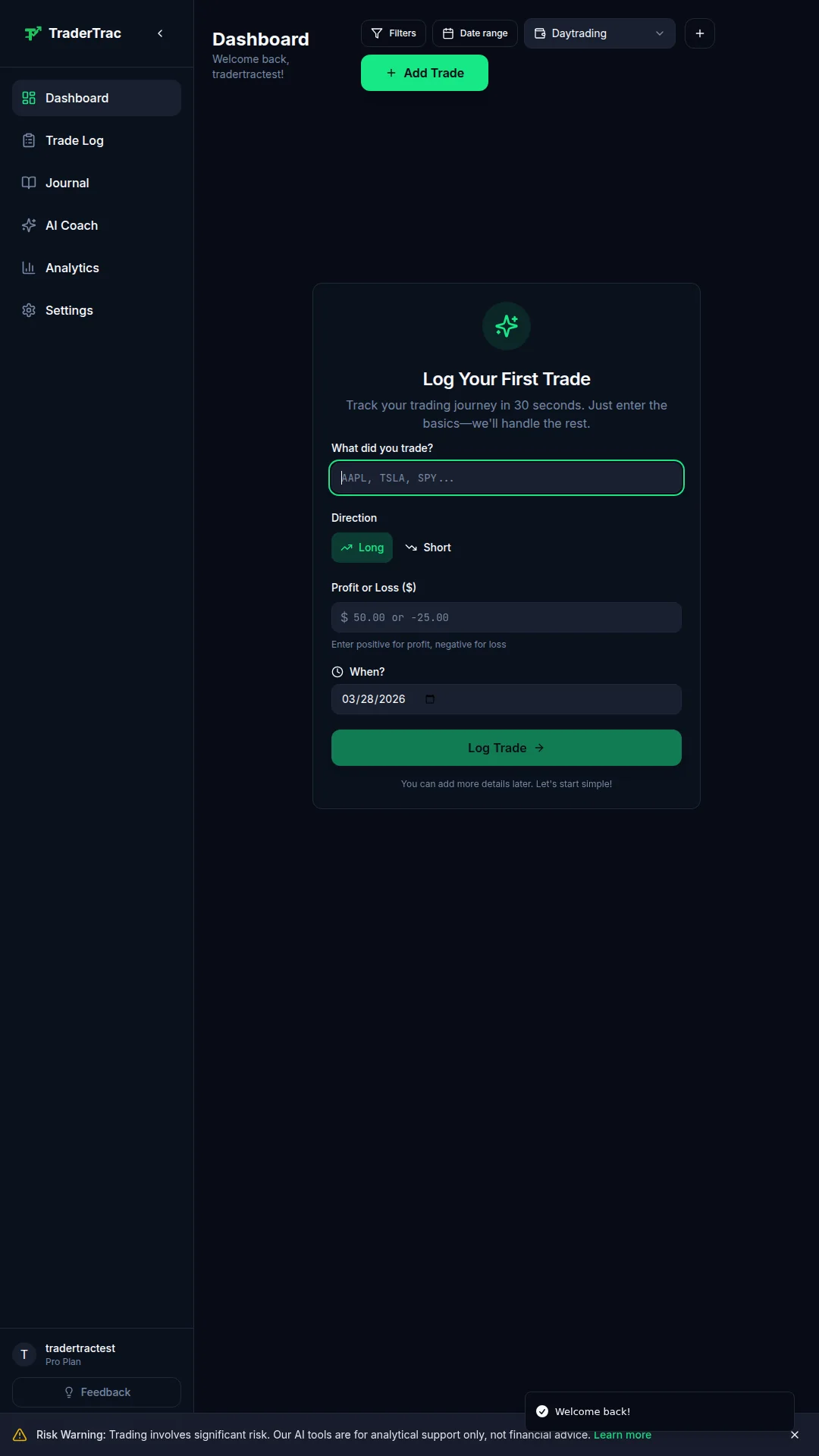
TraderTrac is strongest as a trade capture system. The app is designed around getting the trade into the journal quickly: ticker, direction, asset class, entry, exit, sizing, P&L, notes, and context. For discretionary traders, that low-friction entry flow is not a small detail. If logging takes ten minutes, you will eventually stop doing it. If it takes a minute or two, it becomes part of the trading routine.
The current workflow is especially useful for active retail traders who trade stocks, options, futures, or forex and want a journal that does not feel like accounting software. Manual entry remains available on the free plan, and it is still the right default for traders who want to capture trade reasoning while the decision is fresh.
Dashboard And Daily Stats
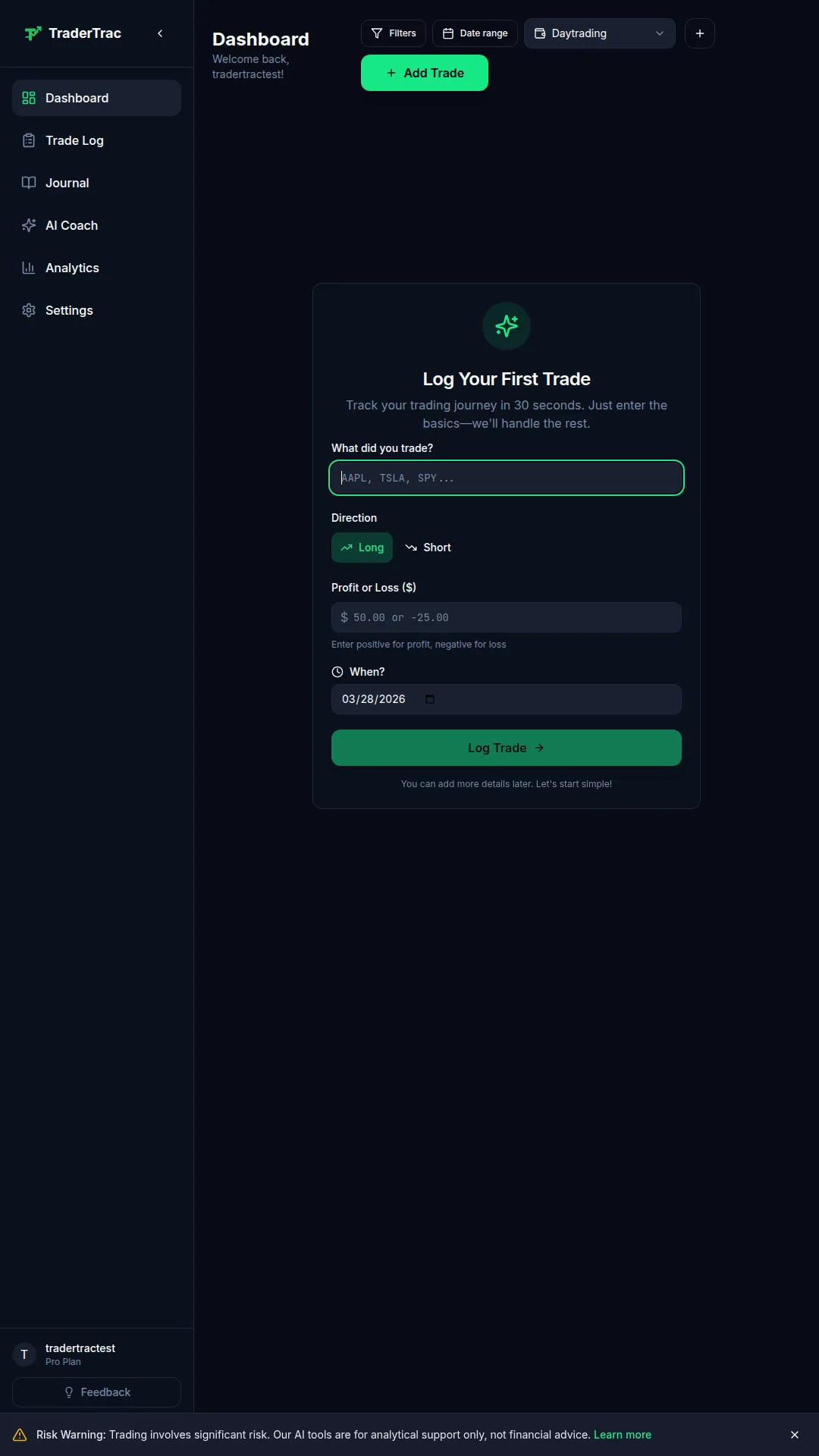
The dashboard is built to answer the core questions quickly: how many trades have been logged, how performance is trending, whether the trader is improving, and where the obvious leaks are. It is not trying to replace a broker statement or a full portfolio accounting system. It is built for trading review.
The most useful part is the balance between stats and usability. TraderTrac gives the daily and weekly review structure a trader needs without burying the page in vanity metrics. Win rate, P&L, account progress, trading rules, and recent activity are visible enough to make the next review session practical.
AI Psychology Coach

TraderTrac's AI layer is aimed at the part of trading most journals do badly: decision quality. A normal journal can show that a trader lost money on a setup. TraderTrac is trying to show whether the trader chased, ignored rules, revenge traded, sized badly, or repeated the same mistake across different tickers.
The AI coach is useful because it turns logged trades and notes into review prompts. It can look for emotional patterns, recurring mistakes, missed trade psychology, and rule violations. That does not replace the trader's own judgment, but it gives structure to the weekly review. For traders who know they are inconsistent but cannot see the pattern clearly, this is the product's real edge.
Weekly AI Reports And Pattern Detection
The weekly report feature is where TraderTrac becomes more than a logbook. Instead of forcing the trader to manually scan every trade, the AI can summarize what changed, what repeated, and where the trader should focus next. This is useful for traders who take enough trades that individual review becomes messy but not so many that they need an institutional reporting stack.
The pattern detection angle is also important. A trader might discover that a setup works in the morning but fails late in the day, that a specific asset class creates most of the drawdown, or that winning trades are being cut too early. These are the kinds of insights that come from grouped review, not from staring at one trade at a time.
Trading Rules And Account Settings
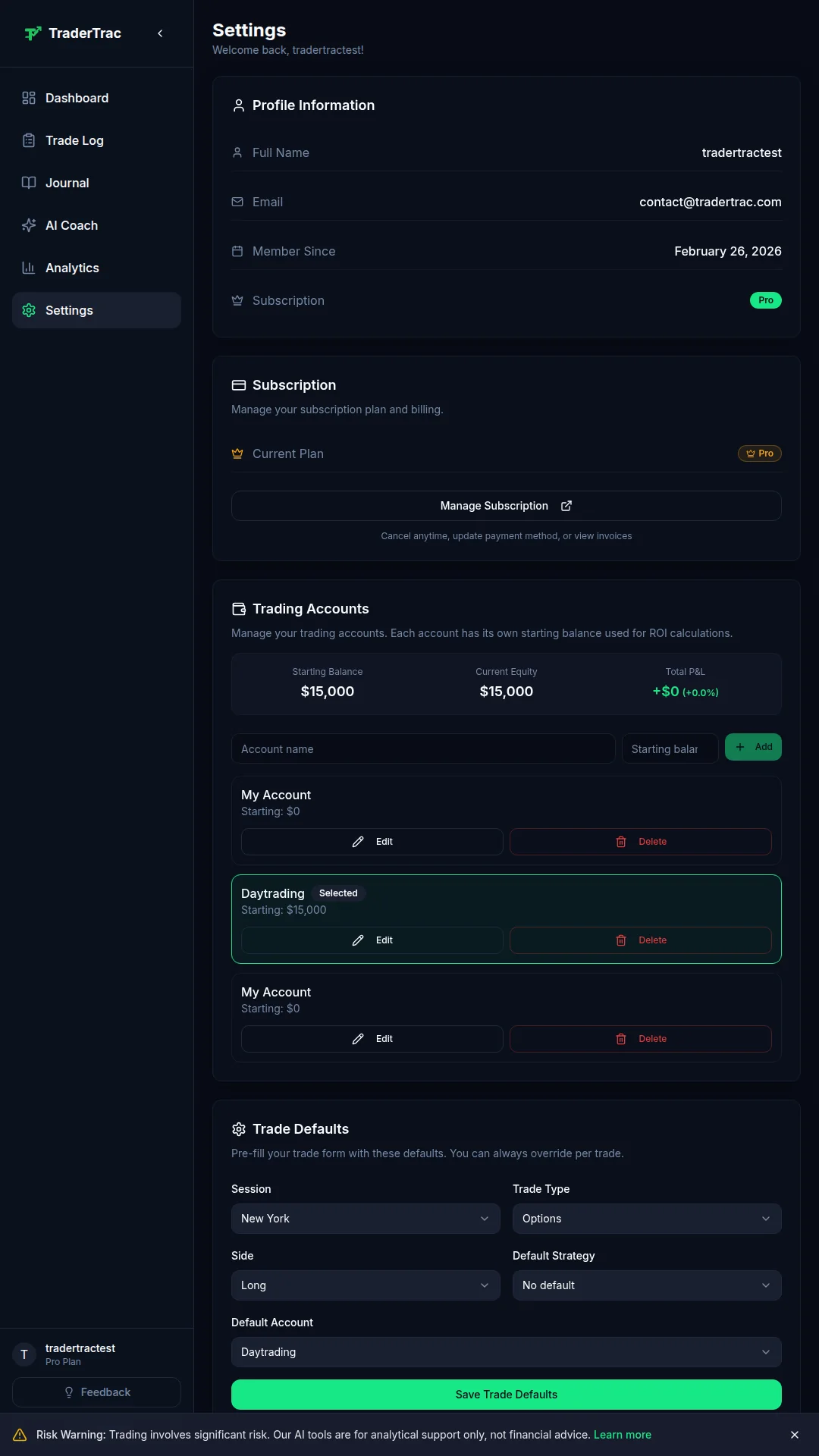
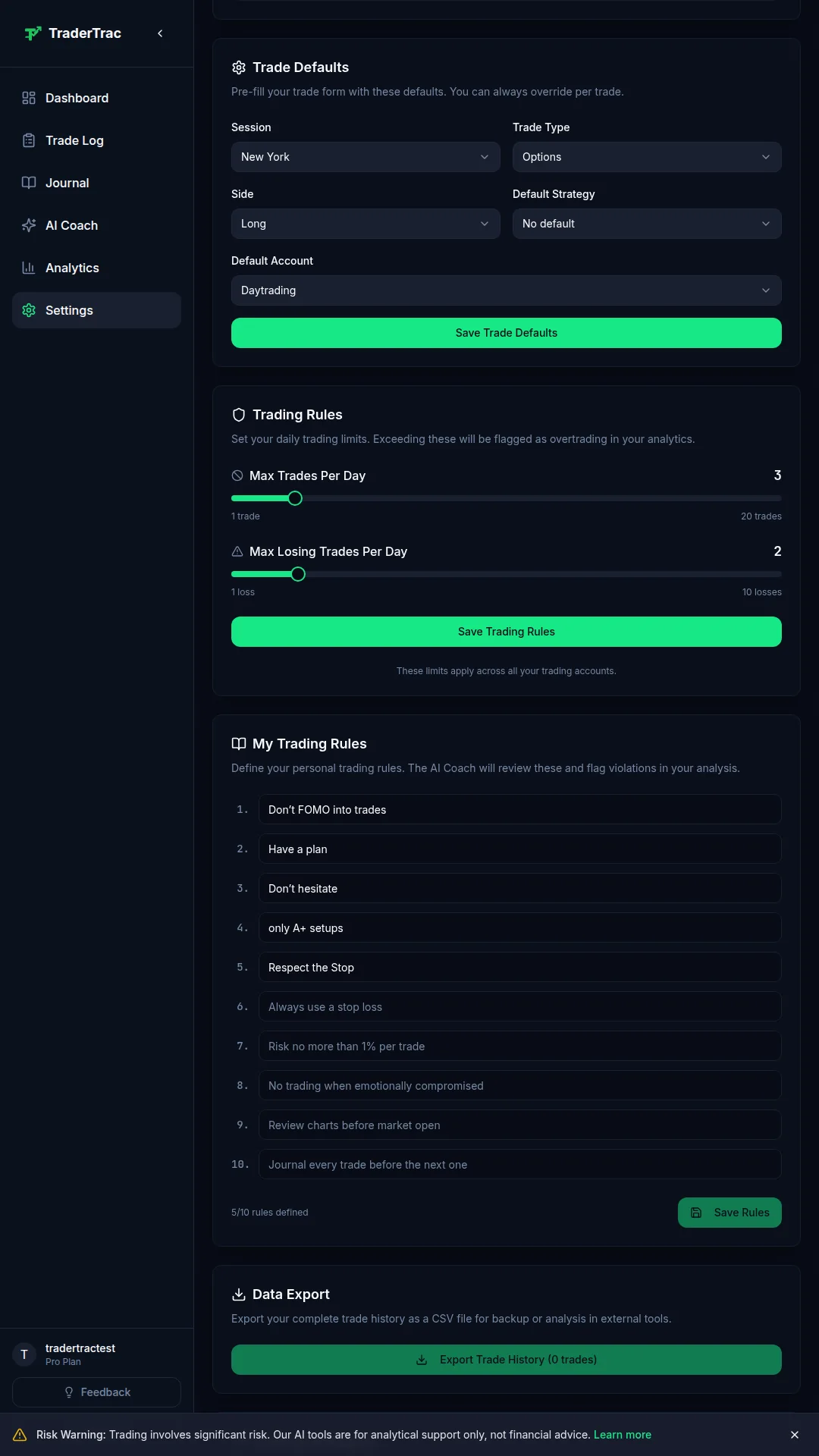
TraderTrac includes account configuration and trading rule settings, which makes it more practical than a plain journal. Traders can define account defaults, risk preferences, rule reminders, and the structure they want to use when reviewing entries.
That matters because a useful journal is not just a place to store outcomes. It should make the trader compare each trade against a plan. If a trader says the max loss per day is a certain amount, or that only specific setups are allowed, the journal should make those rules visible during review.
IBKR Broker Auto Import Through SnapTrade
TraderTrac now has paid broker auto-import for Interactive Brokers through SnapTrade. This is an important correction to older versions of the review: broker sync is not just a future idea. IBKR auto-import is live for paying customers, while the free tier remains focused on manual trade capture.
The practical split is sensible. Manual logging is still best for traders who want to capture psychology, thesis, and execution quality. Broker import is useful for reconciliation, accuracy, and traders who do enough volume that manually entering every fill becomes a burden. Right now, the confirmed broker-sync story is IBKR via SnapTrade; broader multi-broker support should not be assumed until TraderTrac publishes or confirms it.
Pricing And Value

TraderTrac is priced aggressively for what it does. The free tier gives unlimited trades, basic analytics, five AI credits per month, and a first weekly AI report. The Pro plan is $14.99/month or $149.99/year (saves $30 vs monthly) and adds unlimited AI analysis, weekly AI reports, advanced analytics, export, priority support, and IBKR auto-import through SnapTrade.
Get TraderTrac Pro free with [InsiderEdge](/review/insideredge/). The most cost-efficient way to get TraderTrac Pro is to subscribe to [InsiderEdge](/review/insideredge/) instead. [InsiderEdge](/review/insideredge/) Pro is $24.99/month or $249.99/year and includes full TraderTrac Pro access at no additional cost — insider cluster intelligence, Congress trade tracking, and the full TraderTrac journal in one bundle. If you already want insider activity monitoring, the bundle costs only $10/month more than TraderTrac Pro alone while adding a full insider-and-Congress intelligence platform. For traders who use both, this is roughly a 40% saving vs subscribing separately.
About the trial. TraderTrac does offer a trial, but the sign-up flow requires the prospective customer to link a payment card before the trial begins. This is intentional. When we interviewed the TraderTrac team about this decision, the response was consistent: they only want serious traders who are actually committed to journaling long enough to build a habit and see results, rather than casual signups who trial once and abandon the platform. If you are not willing to link a card for a trial, you are unlikely to log trades consistently enough for the AI review layer to do useful work — that is the team's framing, and it is defensible.
Value vs competitors. This pricing makes TraderTrac cheaper than most established trading journals while still offering the features that matter most for a solo trader: fast capture, stats, AI review, and a practical workflow. [TradeZella](/review/tradezella/) is a stronger fit for traders who want a larger, more polished ecosystem and broader automation. [TraderSync](/review/tradersync/) and [Tradervue](/review/tradervue/) are still established names for broker-import-heavy journaling. TraderTrac's advantage is that it feels lighter, cheaper, and more focused on improving the trader's behavior — and the InsiderEdge bundle unlocks it for free if you also want insider intelligence.
What TraderTrac Is Not
TraderTrac is not a backtesting platform, not an automated trading system, not a social trading network, and not a full brokerage analytics terminal. It also does not currently have a native mobile app, although the web app is mobile responsive.
That is fine. The product should be judged as a trading journal and performance improvement tool. On that job, it is strong: quick logging, useful stats, AI review, and a price that makes sense for independent traders.
Bottom Line
TraderTrac should be near the top of the trading journal category because it solves the problem that matters most: getting traders to log consistently and then showing them what their behavior is costing them. The screenshots show a product that is still lean, but the core workflow is right.
If you want the most enterprise-style journal with a bigger feature surface, compare it with TradeZella. If you want a fast, affordable AI journal with strong trade capture, useful stats, psychology review, and paid IBKR import, TraderTrac is one of the best choices on TradingToolsHub right now.