TradingView

The world's most popular charting platform with 100M+ users, Pine Script, social features, and real-time data across all markets.

★★★★★ 4.8/5
stocksoptionsfuturesforexcrypto

Quick Facts

Starting Price
Free
Free Tier
Yes
Founded
2011
Company
TradingView Inc.

TradingView Overview

Why TradingView Dominates Charting

TradingView isn't just a charting platform — it's the charting platform. With over 100 million users worldwide, it has become the default workspace for traders across every market and experience level. Whether you're a day trader watching 1-minute candles on SPY, a swing trader drawing trendlines on forex pairs, or a crypto trader tracking altcoin breakouts at 3am, TradingView is almost certainly where you're doing it.

What makes TradingView special isn't any single feature — it's that everything works together seamlessly in a browser. No downloads, no Java plugins, no platform crashes during volatile opens. You open a tab, your charts are there, your indicators are running, your alerts are firing. That reliability across devices (desktop, tablet, phone) is something traders take for granted until they try switching to anything else.

The Charting Engine

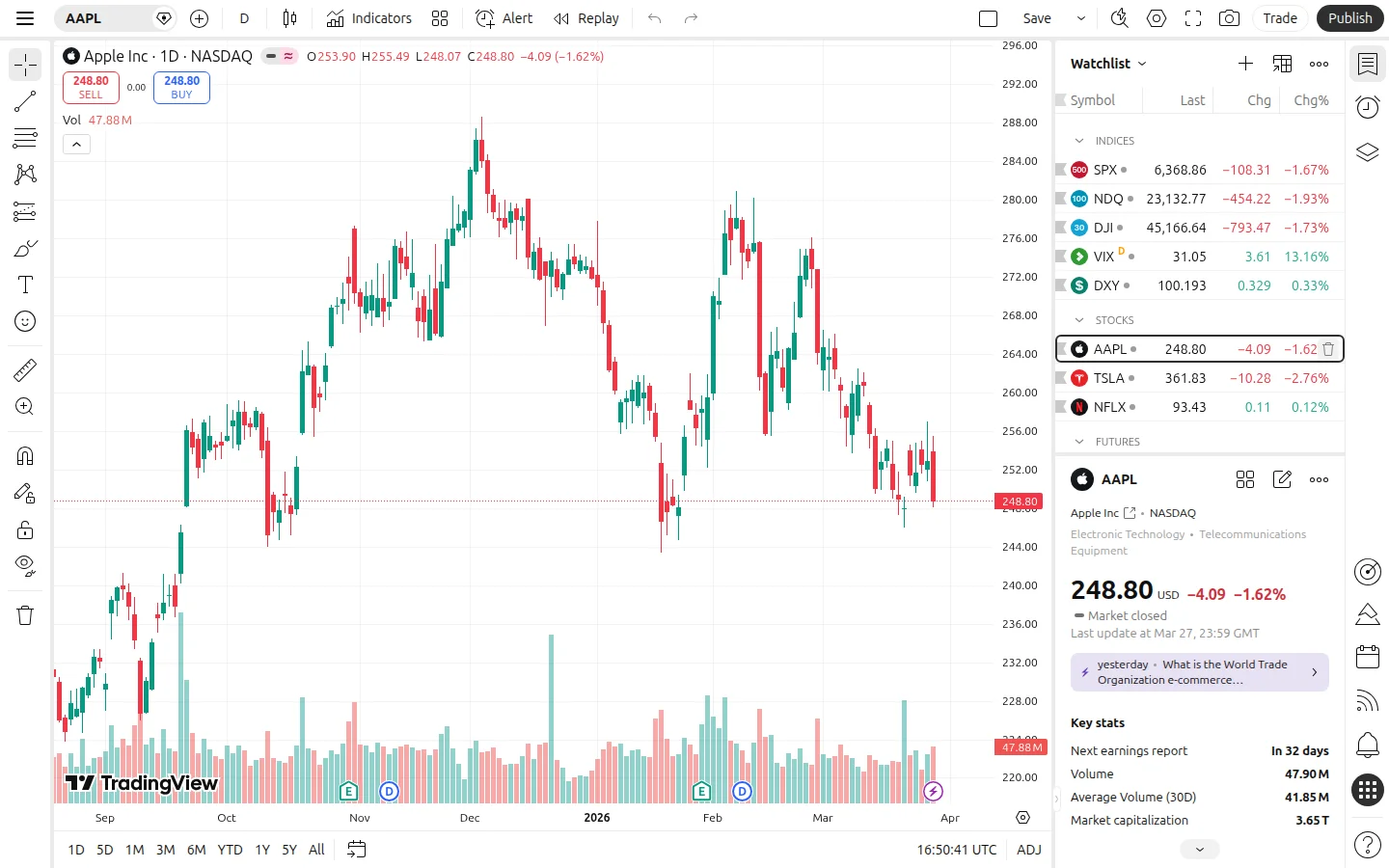
TradingView's charting engine is the best in the business, full stop. You get 100+ built-in indicators (RSI, MACD, Bollinger Bands, VWAP, Volume Profile — everything), 110+ intelligent drawing tools, and 20+ chart types including Heikin Ashi, Renko, Kagi, Point & Figure, and Range bars.

The real power is in how customizable everything is. Every indicator has adjustable parameters, colors, and display options. You can overlay multiple indicators, create multi-pane layouts, and save chart templates for different trading strategies. The platform handles real-time data from 100+ exchanges and data providers globally, covering stocks, ETFs, options, futures, forex, crypto, bonds, and even economic indicators.

For options traders specifically, TradingView now includes options chains, open interest data, and implied volatility overlays — features that used to require separate platforms. Combined with the built-in stock screener and heat maps, you can go from market scanning to detailed chart analysis without leaving the platform.

Pine Script — The Secret Weapon

Pine Script is TradingView's proprietary programming language, and it's one of the platform's biggest competitive advantages. Unlike other platforms that require C++, Python, or proprietary languages with steep learning curves, Pine Script was designed specifically for traders. The syntax is clean, the documentation is excellent, and you can write a working custom indicator in 10-15 lines of code.

But here's the real magic: you don't have to write anything yourself. The TradingView community has published over 200,000 custom indicators and strategies that you can add to your charts with one click. Want a custom volume-weighted momentum oscillator? Someone's already built it. Need a multi-timeframe RSI with divergence alerts? It exists. This community library is genuinely unmatched — no other charting platform comes close.

Pine Script v6 (the latest version) supports complex strategy backtesting, portfolio-level calculations, and even table-based dashboards directly on your chart. Professional quants use it for prototyping strategies before moving to production systems.

Social Trading Network

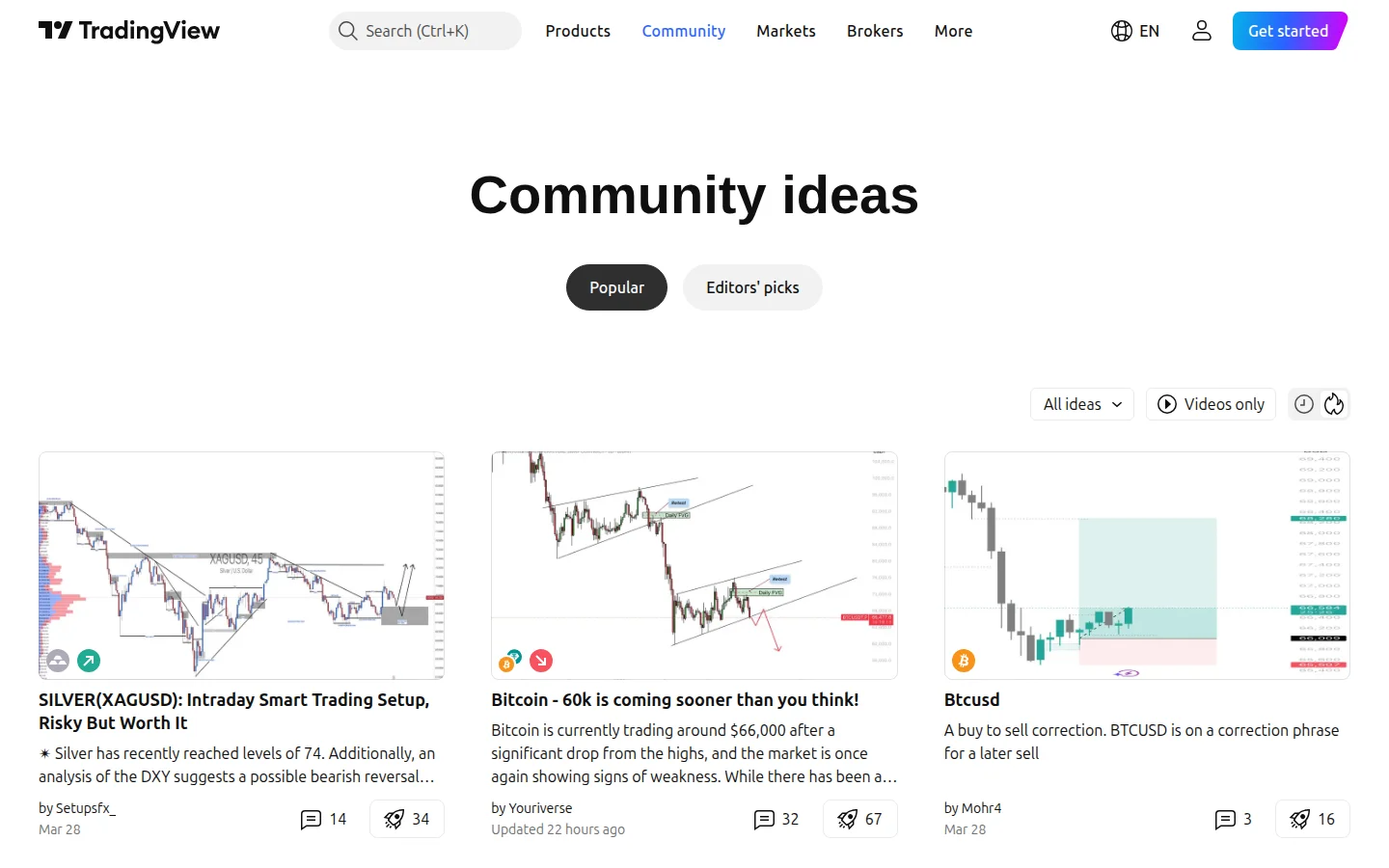
TradingView doubles as the largest social network for traders. The Ideas feed shows thousands of published trade analyses daily — complete with chart markup, entry/exit levels, and real-time tracking of whether the idea played out. You can follow specific analysts, filter by asset class, and see how ideas perform over time.

The community aspect creates a flywheel effect: the more traders use TradingView, the more indicators get published, the more ideas get shared, which attracts more traders. This network effect is nearly impossible for competitors to replicate.

The Minds feature (TradingView's short-form content) provides quick market commentary similar to Twitter/X but focused entirely on trading. For traders who want market pulse without the noise of general social media, this is genuinely useful.

Alerts System

TradingView's alert system is one of its strongest features and a key reason to upgrade from the free tier. You can set alerts on price levels, indicator values, drawing tool intersections, and even custom Pine Script conditions. Alerts fire via push notification, email, SMS, and webhook — that webhook capability means you can connect TradingView to automated trading bots, Discord servers, or Telegram channels.

The free plan gives you basic alerts, but serious traders need the server-side alerts available on paid plans (20 on Essential, 100 on Plus, 400 on Premium). Server-side alerts run 24/7 on TradingView's servers even when your browser is closed — critical for anyone trading multiple timeframes or watching overnight markets.

Broker Integration

TradingView has evolved from pure charting into a trading platform. Through direct broker integrations, you can execute trades on stocks, forex, and crypto without leaving TradingView's interface. Supported brokers include Interactive Brokers, TradeStation, Alpaca, OANDA, and dozens of others.

The paper trading feature lets you practice strategies with simulated money using real market data — useful for testing a new approach before risking capital. The order panel shows your positions, P&L, and order history directly alongside your charts.

Desktop and Mobile Apps

The TradingView desktop app (available for Windows, Mac, and Linux) provides the full web experience in a dedicated application with better performance and multi-monitor support. The mobile apps for iOS and Android are surprisingly capable — you get full charting, alerts, and even the social feed. For traders who need to check positions or adjust alerts on the go, the mobile experience is best-in-class.

Pricing — What Each Plan Gets You

TradingView's free Basic plan is genuinely useful — not a crippled demo. You get full charting capabilities, 3 indicators per chart, basic alerts, and access to the entire community library. The trade-off is ads and delayed data for some exchanges.

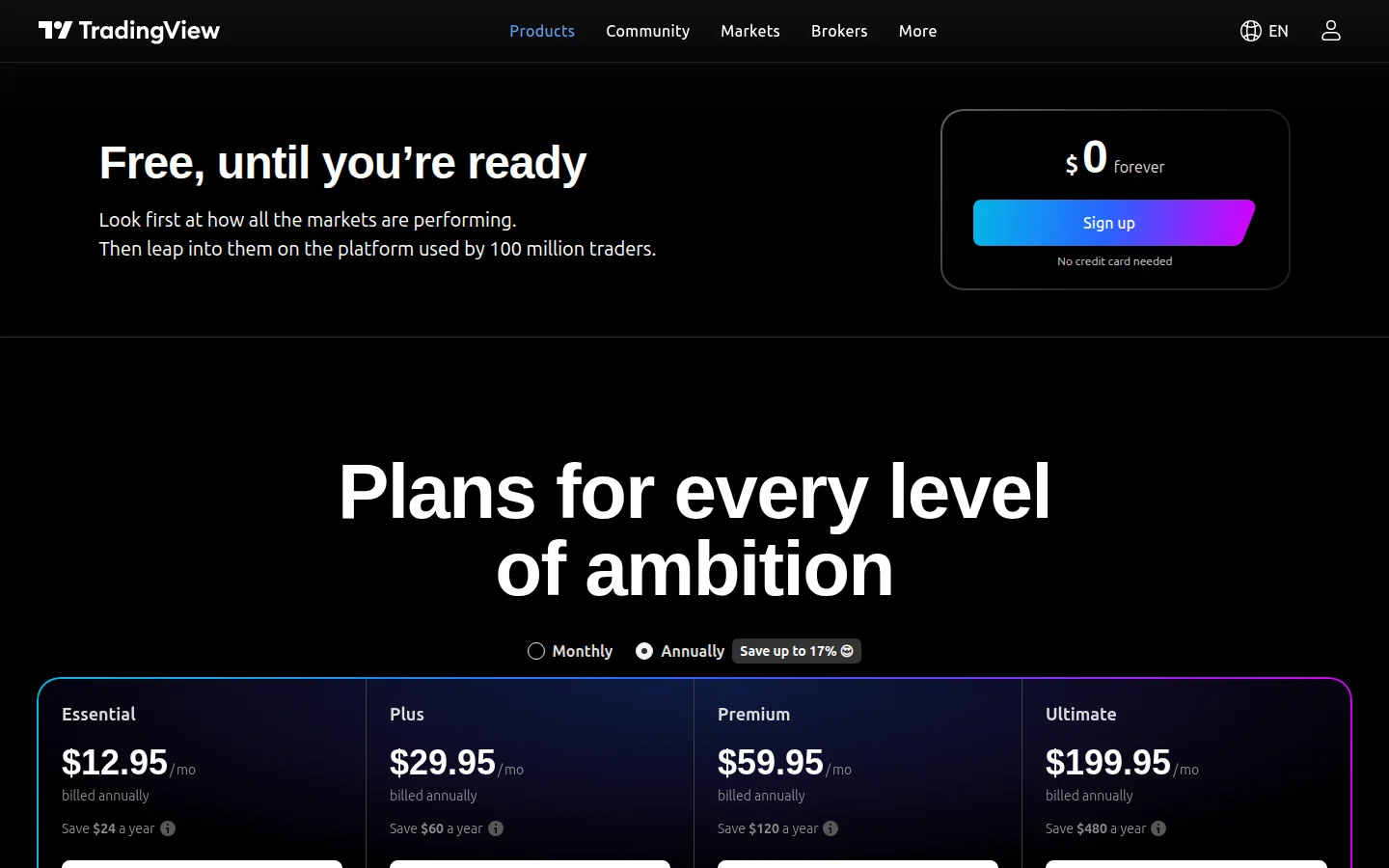
The paid tiers scale primarily on three dimensions: charts per layout, indicators per chart, and server-side alerts. Essential ($12.95/mo annual) removes ads and bumps you to 5 indicators and 20 alerts. Plus ($29.95/mo annual) is the sweet spot for most active traders with 10 indicators, 100 alerts, and 4 charts per layout. Premium ($59.95/mo annual) is for power users who need 25 indicators, 400 alerts, and second-based intervals.

TradingView also offers Expert ($119.95/mo) and Ultimate ($239.95/mo) tiers for professional traders and firms, with expanded data access and higher limits across the board.

All paid plans include a 30-day free trial — no credit card required. Annual billing saves roughly 17% versus monthly. TradingView frequently runs promotions (Black Friday sales can hit 60-70% off), so if you're patient, you can lock in a significant discount.

Who Should Use TradingView

Honestly, almost everyone. If you trade any market and use technical analysis, TradingView should be your starting point. The free tier alone is better than many paid platforms.

The Plus plan ($29.95/mo) is the best value for active retail traders. You get enough indicators and alerts for serious work without the Premium price tag. Premium makes sense if you're watching multiple markets simultaneously or need extensive alert coverage.

The only traders who might look elsewhere are those who need: (1) advanced automated trading beyond Pine Script's capabilities, (2) integrated journaling and trade psychology tracking, or (3) AI-powered pattern detection (where TrendSpider excels). For pure charting and analysis, nothing beats TradingView.

Company Background

Founded in 2011 by Stan Bokov and Denis Globa, TradingView started as a simple web-based charting tool and grew into the world's largest trading community. The company is headquartered in New York with offices globally. In 2021, TradingView raised $298 million at a $3 billion valuation — one of the largest fintech raises in history for a charting platform. The company has been profitable and continues to grow, with no signs of slowing down.

TradingView's business model (freemium with paid subscriptions + data partnerships + broker integrations) is sustainable and well-aligned with user interests. They make money when traders find value, not by selling your data or order flow.

TradingView Screenshots

TradingView advanced charting interface with multiple indicators and drawing tools
chart interface
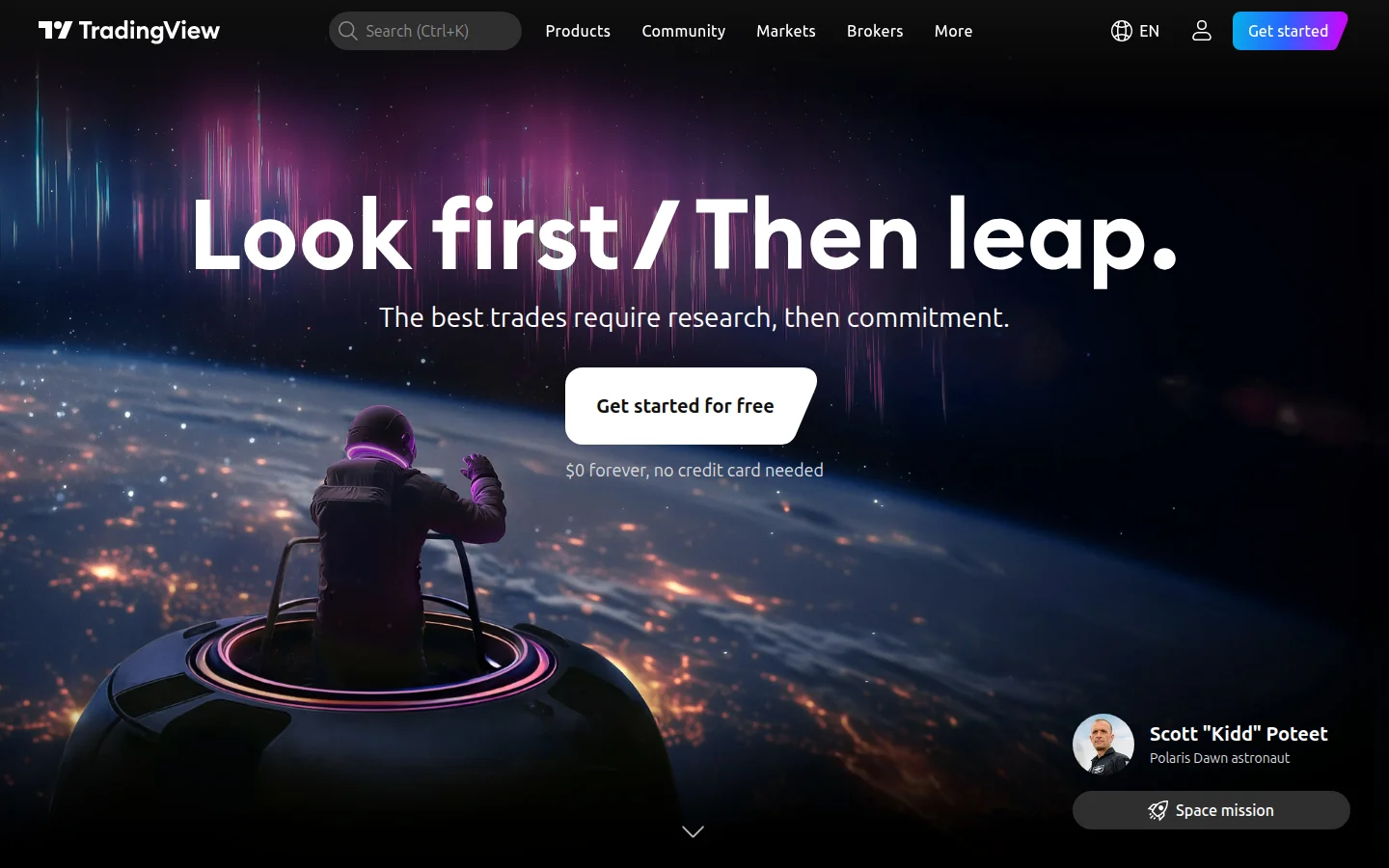
TradingView homepage showing the platform overview and market data
homepage
TradingView pricing plans comparison - Basic, Essential, Plus, and Premium
pricing
TradingView social trading ideas feed with community analysis
social ideas

TradingView Pricing

Basic

Free
  • 1 chart per layout
  • 3 indicators per chart
  • Delayed data
  • Basic alerts
  • Community scripts access
Most Popular

Essential

$12.95 /mo

$12.95/mo billed yearly

  • 2 charts per layout
  • 5 indicators per chart
  • 20 server-side alerts
  • No ads
  • 10K historical bars

Plus

$29.95 /mo

$24.95/mo billed yearly

  • 4 charts per layout
  • 10 indicators per chart
  • 100 server-side alerts
  • Custom timeframes
  • 10K historical bars

Premium

$59.95 /mo

$49.95/mo billed yearly

  • 8 charts per layout
  • 25 indicators per chart
  • 400 server-side alerts
  • Second-based intervals
  • 20K historical bars
  • Priority support

Ultimate

$199.95 /mo

$199.95/mo billed yearly

  • Maximum chart limits
  • Maximum indicators per chart
  • Maximum server-side alerts
  • Full data access
  • All premium features

Features

AI Analysis
Backtesting
Paper Trading
Price Alerts
Mobile App
API Access
Social Features
Broker Integration
Custom Indicators
Automated Trading
Trade Journaling
Performance Analytics
Risk Management
News Feed
Education Content

Pros & Cons

Pros

  • + Best free charting platform available — genuinely useful without paying
  • + Pine Script with 200K+ community indicators is unmatched
  • + Largest trader social network with published ideas and analysis
  • + Works flawlessly across browser, desktop, and mobile
  • + Real-time data from 100+ exchanges worldwide
  • + 30-day free trial on all paid plans, no credit card required

Cons

  • - Free tier has ads and delayed data on some exchanges
  • - Premium/Expert tiers get expensive for casual traders
  • - Can experience lag during extreme market volatility
  • - No built-in trade journaling or psychology tracking
  • - Automated trading capabilities limited to Pine Script

Rating Breakdown

4.8
★★★★★

Overall Rating

ease of use
4.7
features
4.9
value
4.5
support
4.5
reliability
4.8

Key Takeaways

  • Best free charting platform available — genuinely useful without paying
  • Pine Script with 200K+ community indicators is unmatched
  • Largest trader social network with published ideas and analysis
  • Works flawlessly across browser, desktop, and mobile
  • Real-time data from 100+ exchanges worldwide
  • 30-day free trial on all paid plans, no credit card required
  • Rated 4.8/5 — best for all traders, technical analysts, social traders
  • $ Free tier available

Summary

The world's most popular charting platform with 100M+ users, Pine Script, social features, and real-time data across all markets. TradingView offers a free tier, with paid plans from $12.95/month. Best suited for all traders, technical analysts, and social traders.

TradingView Guides

📖
Bookmap Pricing Explained: All Plans, Costs & Fees (2026) 6 min read
📖
Bookmap Complete Guide: Setup, Features & Tips (2026) 9 min read
📖
Bookmap Tips and Tricks Every Trader Should Know (2026) 9 min read
📖
ATAS Pricing Explained: All Plans, Costs & Fees (2026) 5 min read
📖
ATAS Complete Guide: Setup, Features & Tips (2026) 10 min read
📖
ATAS Tips and Tricks Every Trader Should Know (2026) 9 min read
📖
Risk Management In Trading: The Complete Guide To Position Sizing 8 min read
📖
Paper Trading Vs Real Money: When To Make The Switch 8 min read
📖
Tradingview Vs Trendspider: Which Ai Charting Tool Is Better 8 min read
📖
Best Free Charting Software For Day Traders In 2026 8 min read
📖
Tradingview Setup Guide For Beginners: From Signup To First Chart 8 min read
📖
Motivewave Vs Tradingview Vs Tradovate: Which Charting Platform For Futures 8 min read
📖
Alpha Vantage API Tutorial: Free Stock Data for Python Traders (2026) 10 min read
📖
Tradingview Vs Thinkorswim: Charting Platform Showdown 8 min read
📖
Cheapest Trading Platforms In 2026: Full Pricing Breakdown 8 min read
📖
Free Stock Screeners Compared: Finviz Vs Tradingview Vs Webull 8 min read
📖
TradingView Complete Guide: Setup, Features & Tips (2026) 10 min read
📖
TradingView Tips and Tricks Every Trader Should Know (2026) 7 min read
📖
Tradovate Tips and Tricks Every Trader Should Know (2026) 8 min read
📖
Best Tradingview Indicators: Free And Premium Picks For 2026 8 min read
📖
Tradingview Tutorial For Beginners: Setup, Charts And Indicators 8 min read
📖
How To Backtest A Trading Strategy Without Coding 8 min read
📖
Best Indicators For Day Trading: What Actually Works 8 min read
📖
How To Start Day Trading In 2026: Complete Beginner Guide 8 min read

Compare TradingView

View all TradingView alternatives →

TradingView Rankings

Similar Tools

Affiliate Disclosure: Some links on this page may be affiliate links. If you sign up through our links, we may earn a commission at no extra cost to you. This helps us keep TradingToolsHub free and our reviews independent.