Verdict
Our reviewer noticed some really good improvements in the system that have addressed some of our previous questions. The new Trade Ideas has a lot of good new functionality: the AI Assistant builds working scans from plain-English requests, direct broker connections now cover seven brokers, and the one-click Channel Bar layouts mean you rarely start from a blank screen. We enjoyed testing this advanced trading tool.
Having said that, it’s not a tool that should be viewed as plug and play. Quality does come with some setup and configuration. It is something that needs to be configured, and you need to spend time on it before it gives its full value. Learning how to use it is a must before attempting to trade with it. Pre-built scanners are there and easily accessible; however, for the discerning trader there is a lot of advanced configuration that can be made.
It is a professional tool, built by advanced traders, and it shows in the depth of the functionality. You get the most from it when you have some trading knowledge and a clear style, because the AI Assistant builds what you ask for, and you still have to know what to ask. For advanced traders, and for newer traders who are willing to learn, it is a good arrow in the quiver.
Best for: active US stock traders with a defined style (momentum, gap, breakout, opening-range and options-flow traders) who want real-time scanning, AI-assisted scan building and optional automation, and who enjoy tailoring a tool to their style.
Less suited to: buy-and-hold investors, and traders looking for a set-and-forget tool rather than one they configure to their own style.
How we tested
- Who: our senior reviewer, an active trader, used Trade Ideas Premium hands-on from 10 Oct 2026. Trade Ideas provided a two-week Premium account for this update.
- When: during live US market sessions, including pre-market, with the Windows desktop app running mid-session on 12 Oct, plus off-hours walkthroughs of the web dashboards and TI Pro Web.
- What: the Windows desktop app (TI Pro 5.9.1) with the new AI Assistant, several Channel Bar scans and layouts (including Explosive Winners and Opening Range Momentum), Holly AI, Money Machine replay mode and OddsMaker. We also went through TI Pro Web, the browser dashboards, the broker pages and setup guides, and the education and community resources.
- Backtest: one OddsMaker run on an untuned stock scan: profit factor 0.66 over 2,219 trades, 37.8% winners, −69.6% net. Details are in the backtesting section below.
- Vendor material: Trade Ideas sent us a “What’s new for 2026” product preview. Where a feature is described from that preview or Trade Ideas’ own documentation rather than our own use, we say “according to Trade Ideas”.
What Trade Ideas is
Trade Ideas is a real-time US stock scanner and alert platform, around since 2003. It watches every US stock and ETF, streams alerts the moment a condition triggers, and adds AI layers on top: Holly AI’s trade signals, the new AI Assistant for building your own scans, and Money Machine for automation.
There are three ways in:
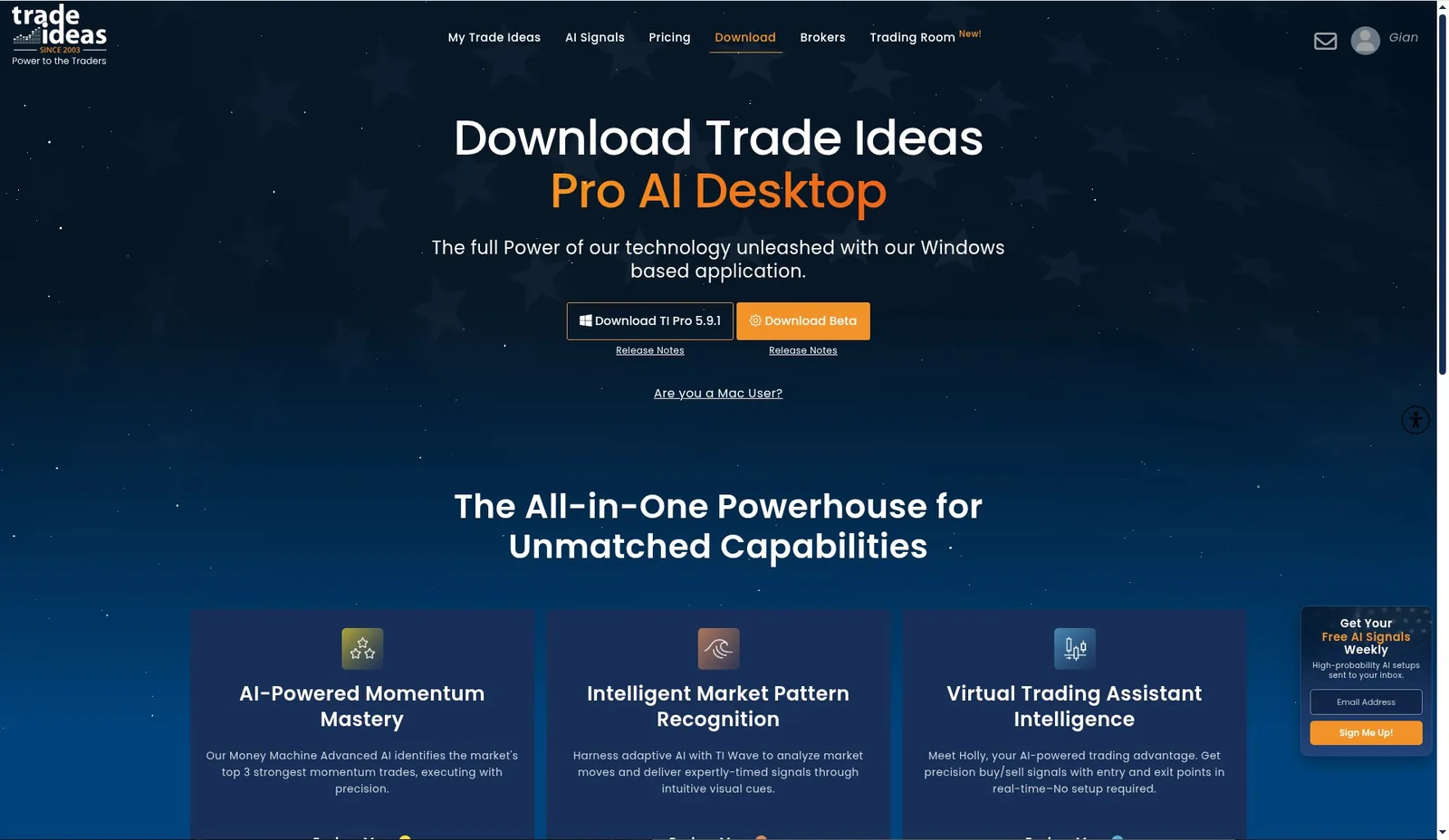
- TI Pro desktop (Windows), version 5.9.1. The full platform, and where the AI Assistant, the full Channel Bar and Money Machine live. A beta build is also offered on the download page.
- TI Pro Web. A browser version with the same multi-window style: alert windows, charts, the OMNI Channel bar, Holly AI windows and OddsMaker.
- Web dashboards on trade-ideas.com. Lighter browser pages such as Live Market Pulse, Stock Market Races and Unusual Options Activity, plus the free Stock-info research pages.
The desktop app is now a floating toolbar
The desktop app opens as a floating toolbar rather than a full-screen frame. It has the menus File, New, Tools, Windows, Help and Account, a Brokerage Plus Live/Sim switch and an AI Assistant button. Scanners, charts and races open as separate windows that you place anywhere on your monitors. On a multi-monitor desk this works well: the toolbar stays out of the way and each window goes where you want it. The flip side is that you arrange the workspace yourself, which is part of the setup time.

What’s new in 2026
1. The AI Assistant: build a scan by describing it
The AI Assistant is the biggest change since our last review. You open it from the button on the main toolbar, describe what you want in plain English, and it builds a working alert window, choosing the alerts, filters, exchanges and columns itself. You do not have to know which of the 500+ data points to combine.
My first test was a pre-market request. I asked, in plain English, for stocks showing unusual pre-market volume and momentum. The AI Assistant turned that into a working alert window that started streaming matches right away. Building that window by hand would have meant hunting through the alert and filter menus. Here it took one sentence, and it translated the idea into platform logic very directly.
The key example: a tailored options plan. The real test of an assistant is whether it can follow a specific trading style, so I asked it for an options-focused plan built around the Magnificent 7 plus INTC and ORCL. It produced a tailored setup restricted to that watchlist, using Trade Ideas’ options-volume filters (PCAV and PCTV) to surface unusual options activity on those names. Getting this out of Trade Ideas used to take real knowledge of the filter library. With the AI Assistant, it took a description of the trading style.
According to Trade Ideas, the AI Assistant can also refine the same scan in place when you give it a follow-up instruction (for example, “only include stocks above VWAP”), and it can explain the settings it chose. Either way, treat what it builds as a first draft: open the window’s Configure dialog, read the settings and adjust them to your style before you trade off the alerts. That check is part of why the AI Assistant shortens the learning curve rather than removing it.
What the AI Assistant is not. It is a tool for building your own scans. It does not generate trade signals. It is separate from Holly AI (Trade Ideas’ signal engine, covered below), from the AI Strategy Lab (Trade Ideas’ pre-trained AI and Holly-based plans) and from Money Machine (automation). If you want trade ideas handed to you, that is Holly. If you want your own idea turned into a working scan, that is the AI Assistant.
2. Direct broker connections: seven brokers
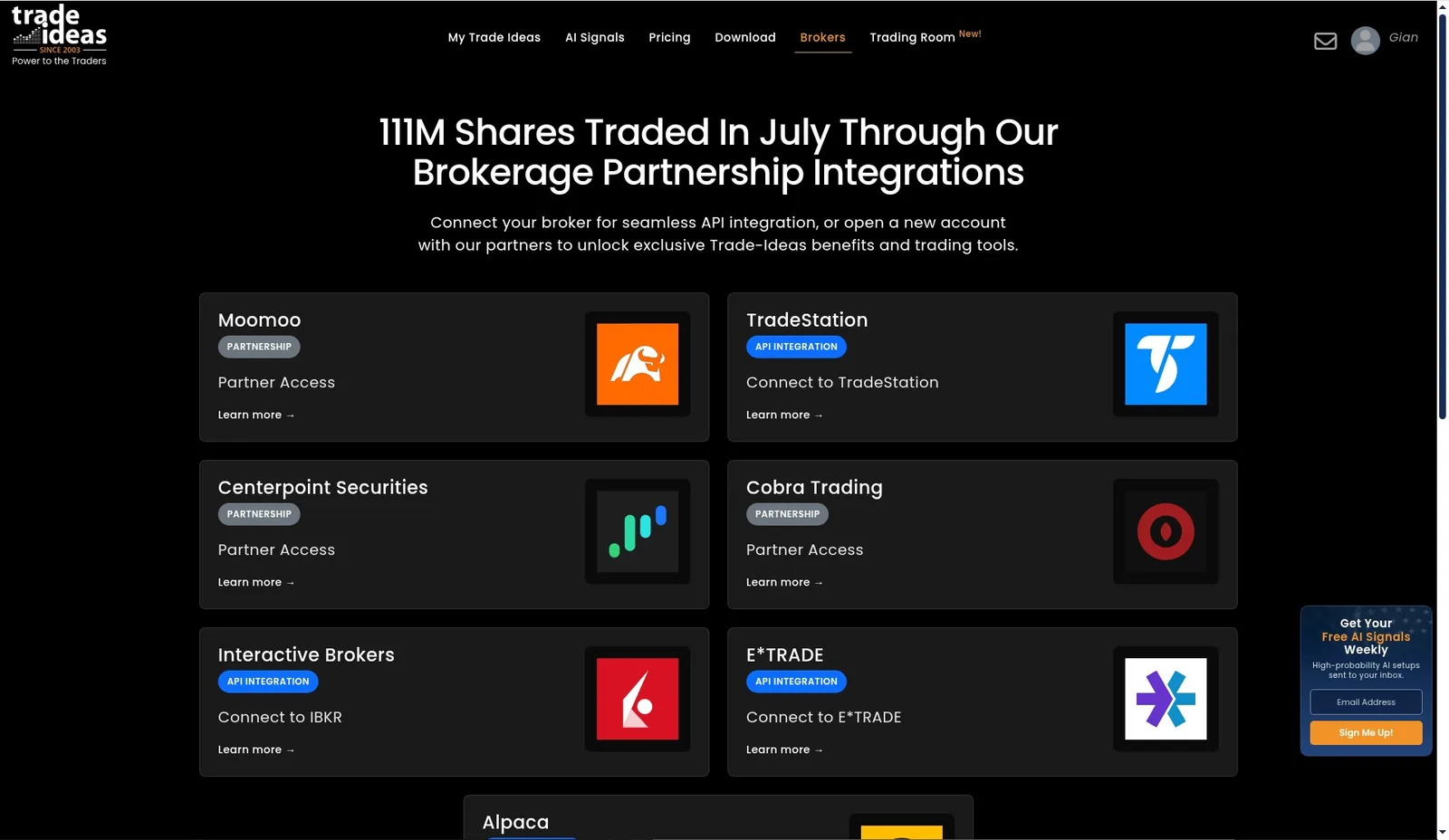
When we last reviewed Trade Ideas, the only live connections were Interactive Brokers and E*TRADE. The brokers page now lists seven:
| Broker | Connection type |
|---|---|
| Interactive Brokers (IBKR) | API integration |
| E*TRADE | API integration |
| TradeStation | API integration (newest) |
| Alpaca | API integration |
| Moomoo | Partner access |
| CenterPoint Securities | Partner access |
| Cobra Trading | Partner access |
The four API integrations connect your existing account to Trade Ideas’ Brokerage Plus trading layer, so you can place orders and run automation from inside the platform. The three partner brokers are referral partnerships: you open an account with the partner to unlock Trade Ideas benefits. That is not the same as in-platform order routing, so check which type your broker is before you buy.
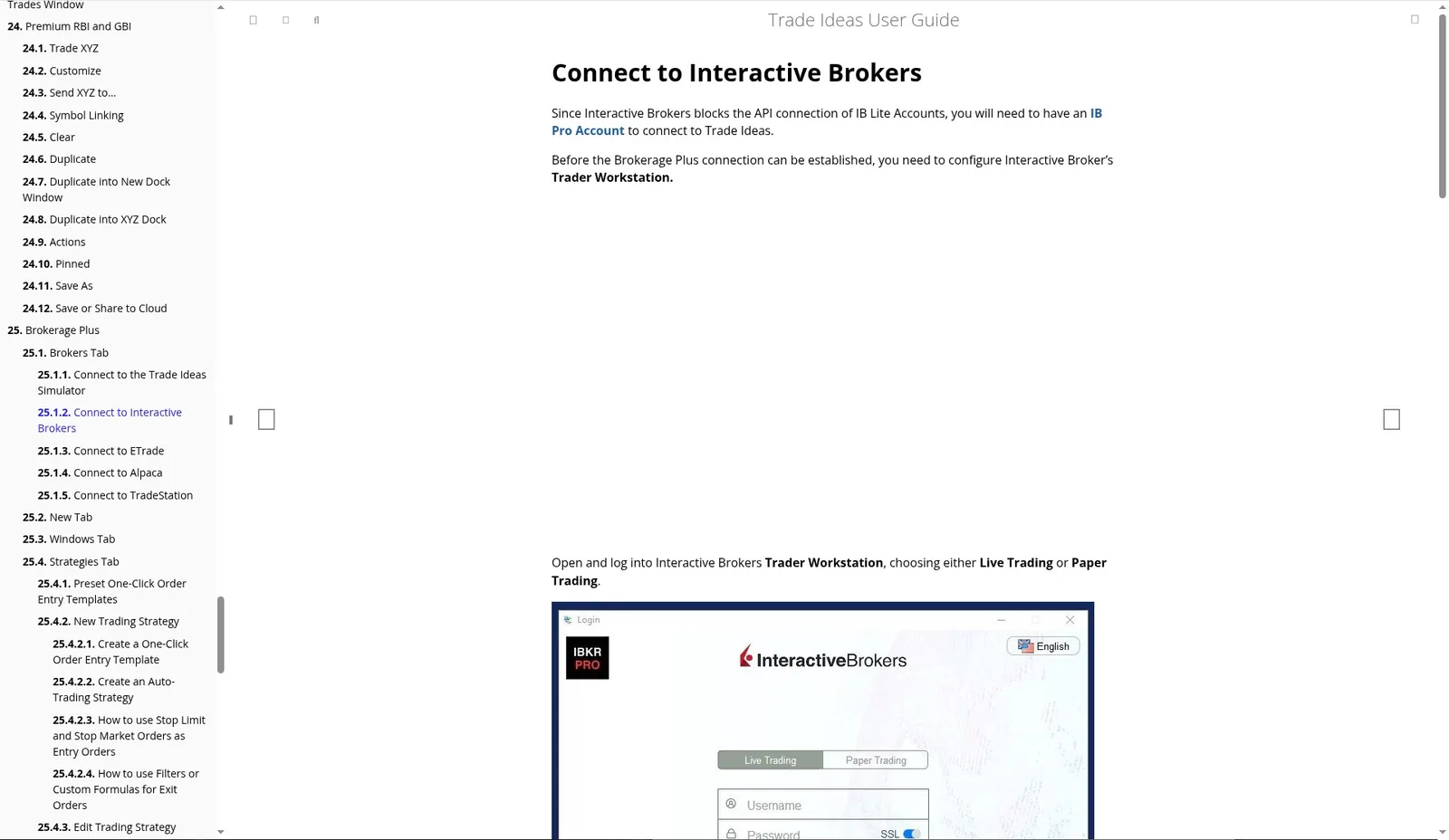
IBKR specifics: the IBKR integration is a real API connection, not a referral. You need an IBKR Pro account (IBKR blocks API access for IBKR Lite), Trader Workstation or IB Gateway running, and an IBKR market-data subscription. TWS can run in live or paper mode. Budget time for this setup too.
A number that doesn’t match: the brokers page headline says “111M Shares Traded In July Through Our Brokerage Partnership Integrations”, and the pricing page says “108M Shares Traded In August.” These are probably two different months on two different pages rather than an error. They are Trade Ideas’ own figures and we could not verify either one.
Brokerage Plus redesign (coming). Trade Ideas has previewed a redesigned Brokerage Plus workspace showing multiple connected accounts, open and closed positions, orders and executions, with an order ticket you can dock, slide, float or pop out. Trade Ideas told us it is not in production yet, so we have not reviewed it.
3. Easier filters and ready-made layouts
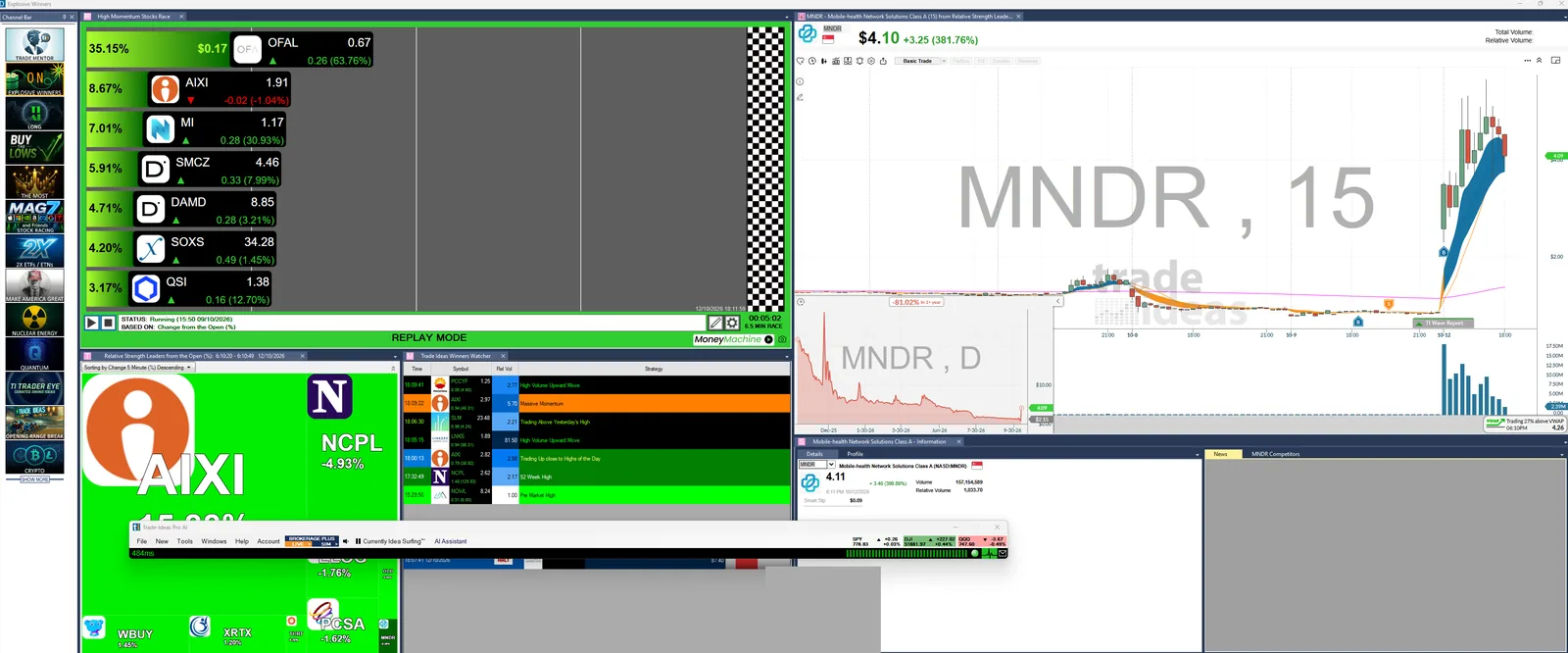
Between the AI Assistant, the Channel Bar and the preset strategies, you rarely start from a blank window. The desktop Channel Bar loads complete themed workspaces in one click: Trade Mentor, Opening Range Breakout, Explosive Winners, Buy the Lows, The Most, Mag7 and Friends Stock Racing, 2X ETFs/ETNs, Nuclear Energy, Quantum, Bitcoin and Crypto, and more. Each one opens scanners, races, charts and alerts together. You will still want to tune them, but they are a far better starting point than an empty screen.
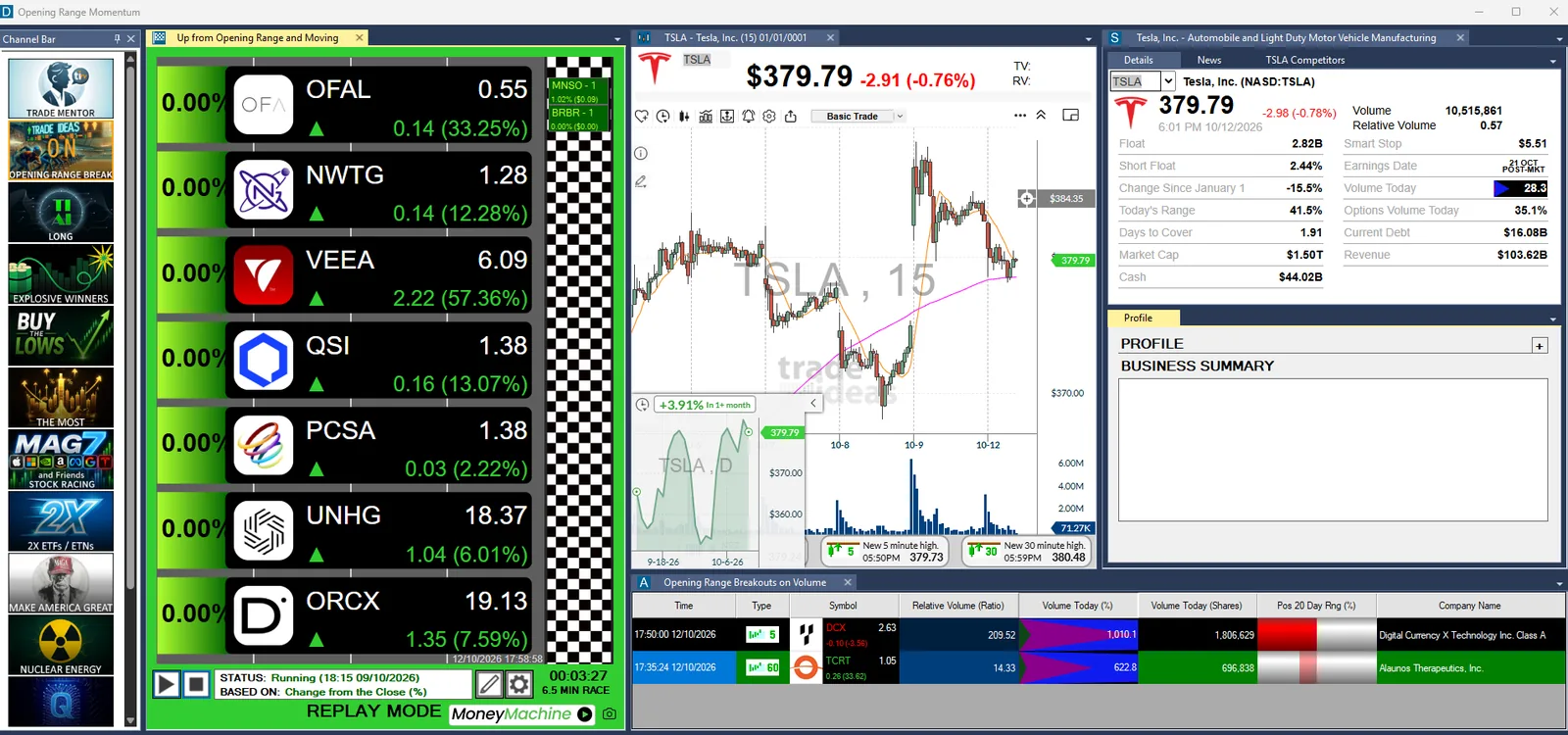
During our 12 Oct session, the Explosive Winners channel had MNDR on screen during its run (up about 380% to $4.10 on the day), alongside a High Momentum Stocks Race, Relative Strength Leaders from the Open tiles and the Winners Watcher strategy list (High Volume Upward Move, Running Up Now, Trading Up near High of Day, 52 Week High).
The classic Opening Range Momentum layout is still there for long-time users. It shows an “Up from Opening Range and Moving” stock race, a TSLA 15-minute chart with a company panel (float, short float, relative volume, smart stop, earnings date) and “Opening Range Breakouts on Volume” alerts. In our session those alerts flagged DCX at 209x relative volume.
4. TI Wave: Buy/Sell markers on the chart
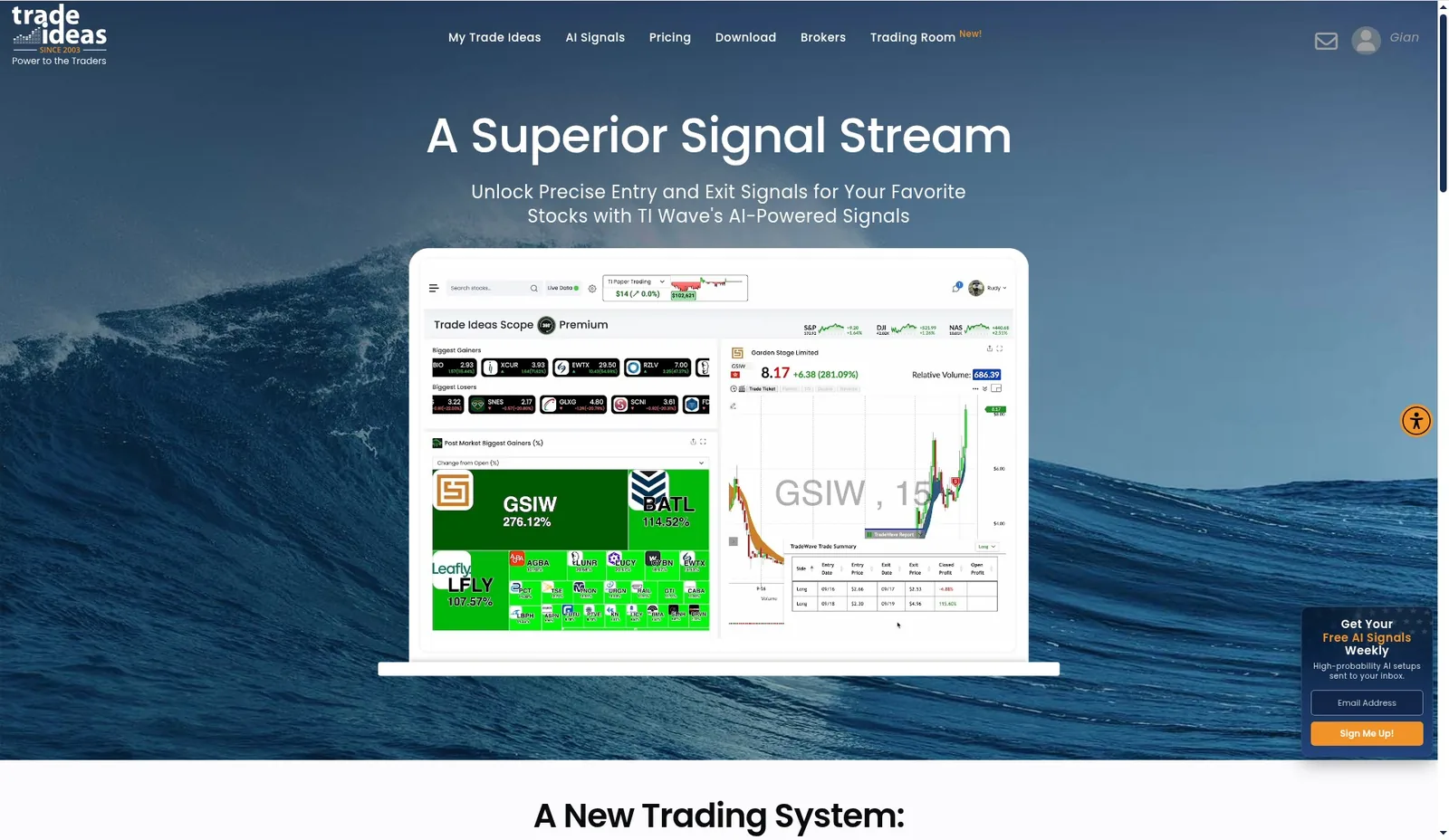
According to Trade Ideas, TI Wave plots green B (buy) and red S (sell) markers on the chart, and its signal logic adapts to each symbol and timeframe instead of applying one fixed rule to every stock. It is included in the Core (Standard) plan.
How to turn it on (desktop), per Trade Ideas: right-click a chart → enable Browser Interface → click the bar icon on the chart → choose TI Wave.
As with any buy/sell overlay, treat the markers as a prompt to look at the chart, not as a system on their own, and paper-trade them on your own symbols and timeframes before you rely on them.
5. Money Machine (Alpha, simulated mode only)
Money Machine is Trade Ideas’ automation layer. According to Trade Ideas, you choose a Trade Ideas strategy or Top List, define the rules (account, trading window, position size, maximum positions, liquidity and spread limits, stops, exits and re-entry), review a launch summary and let it run, on top of 500+ real-time detectors and filters. The product page currently says “Available for Premium Subscribers Only (Simulated Mode Only)”, so it is an alpha release for paper trading, not live automation.
What we saw first-hand was Money Machine’s replay mode driving the stock races in the Opening Range Momentum and Explosive Winners layouts (the “Replay Mode” bar under each race in the screenshots above). The Up from Opening Range and Moving race showed names like VEEA up 57%.
6. Free stock research (Stock-info)
Trade Ideas now offers free stock research pages at trade-ideas.com/Stock-info/. According to Trade Ideas, you enter a ticker and get one page covering where the stock trades within its key ranges, performance over several periods, momentum, recent Trade Ideas alerts, financial strength and a comparison with its peers, with no platform setup needed. That makes it an easy way to look at Trade Ideas’ data before you pay for anything.
Also new
- Free live Trading Room, hosted by Barrie Einarson, Monday to Friday, 8:00 am to 3:30 pm ET. He trades a live account.
- AI Trading Plans, which turn Holly signals into structured plans with entries, stops and scaling rules.
- New plan names: Standard is now Core, and Premium is now Apex (see Pricing).
A tour of the web dashboards and TI Pro Web
The browser side of Trade Ideas is lighter than the desktop but useful for checking the market away from your trading PC.
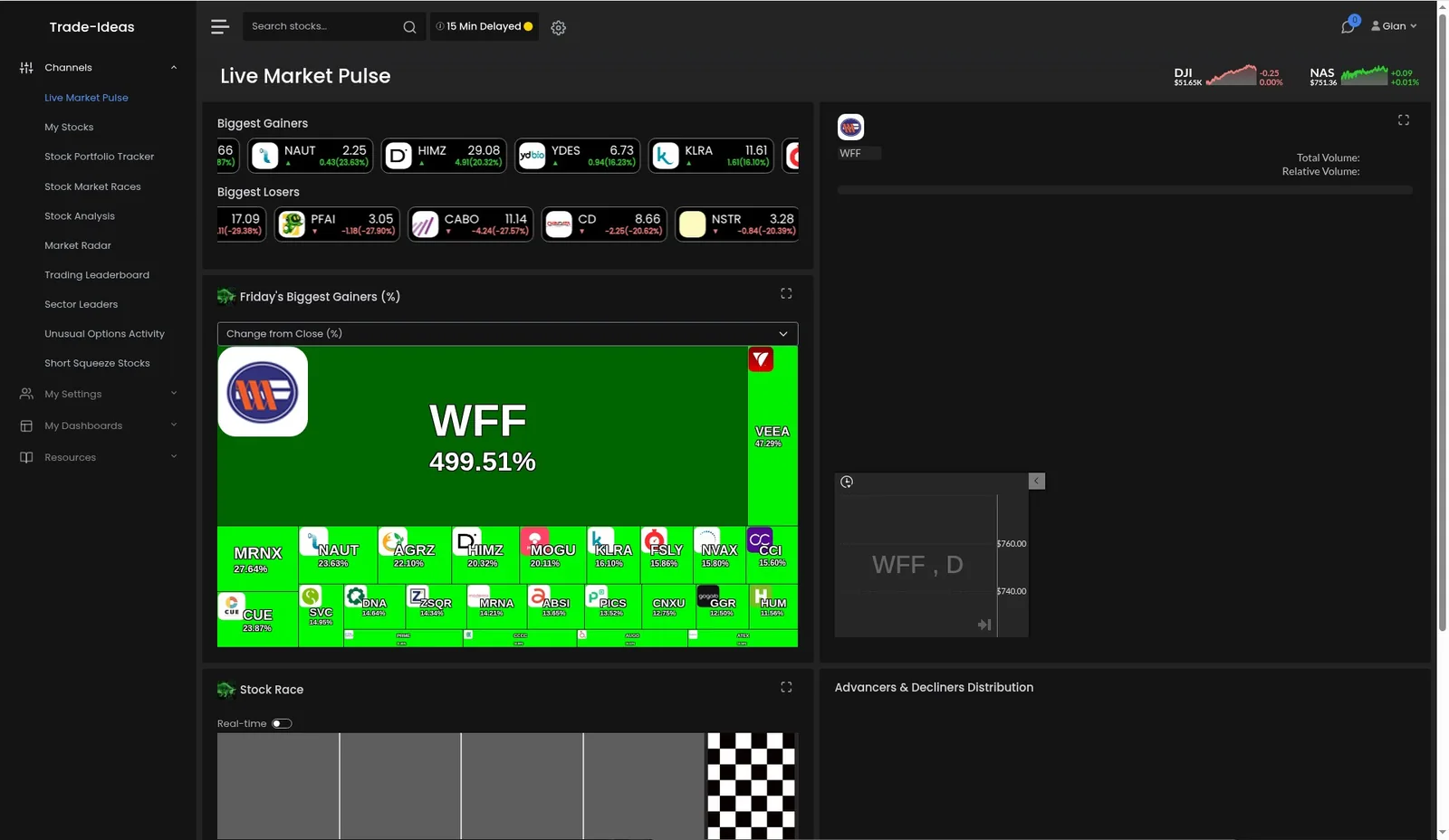
Web dashboards (left-hand Channels menu): Live Market Pulse, My Stocks (watchlist), Stock Portfolio Tracker, Stock Market Races, Stock Analysis, Market Radar, Trading Leaderboard, Sector Leaders, Unusual Options Activity and Short Squeeze Stocks. Settings cover profile, account and billing, site preferences, social, messages and calendar. The dashboards showed a “15 Min Delayed” badge in our session.
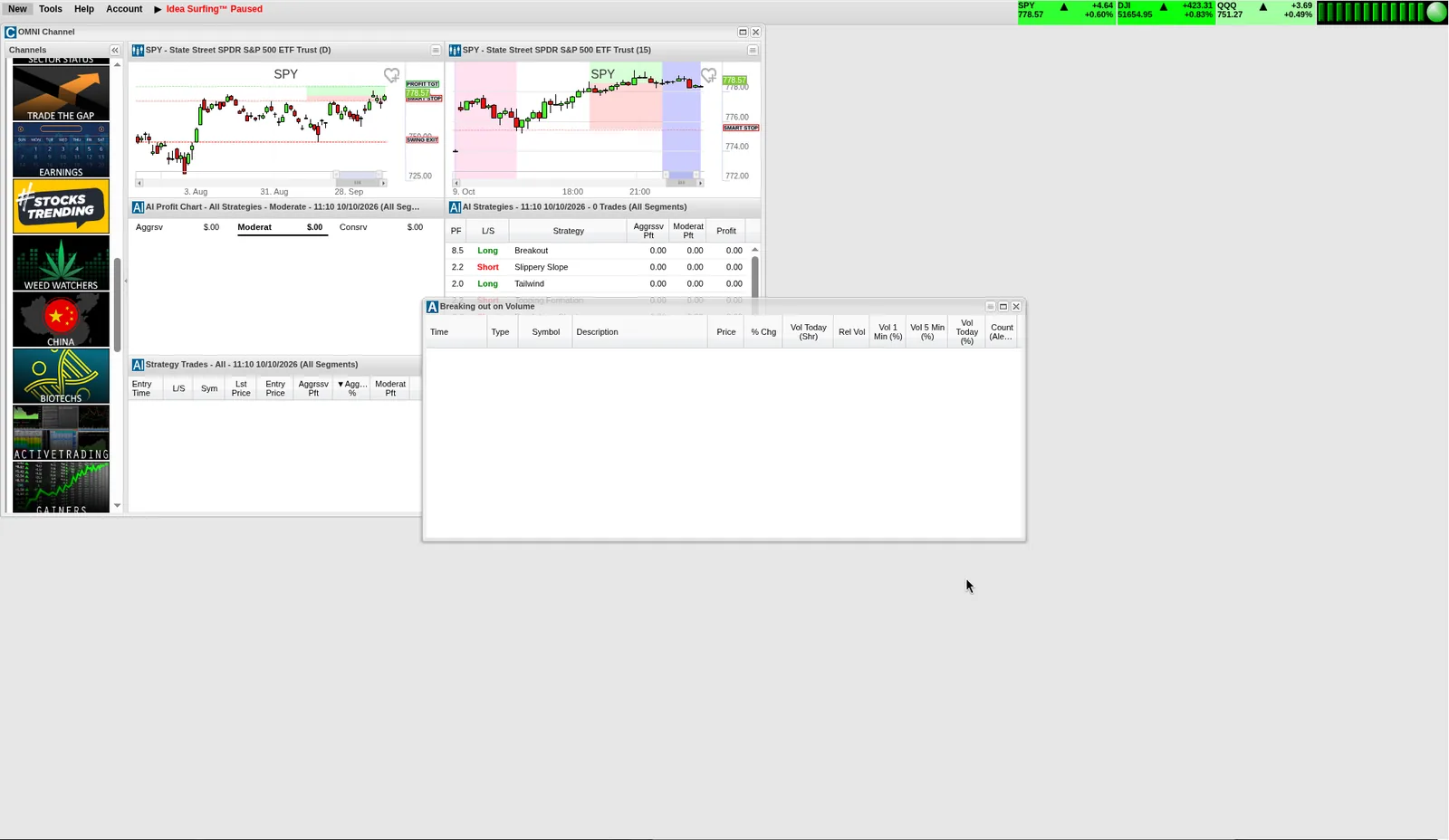
TI Pro Web brings the multi-window platform to the browser. The menu bar has New, Tools, Help and Account. There is the OMNI Channel bar (Holly AI, Swing Picks, Premarket, Momentum and others), alert windows with right-click configuration, a scan builder with Strategy and Filters tabs, and OddsMaker. It does not have the desktop’s AI Assistant, so building a scan in the browser means doing it by hand.
Holly AI: Trade Ideas’ signal engine
Holly is the part of Trade Ideas that suggests trades. Each night it tests its library of strategies against recent market data and keeps the ones that currently qualify. During the session it fires long and short signals with an entry, a stop and an exit plan. Holly signals are an Apex (Premium) feature (“1st Gen AI Signals” on the pricing page). In TI Pro Web, Holly gets its own OMNI channel with an AI Strategies window (each strategy’s profit factor and direction), an AI Profit Chart by risk style (aggressive, moderate, conservative) and a Strategy Trades log.
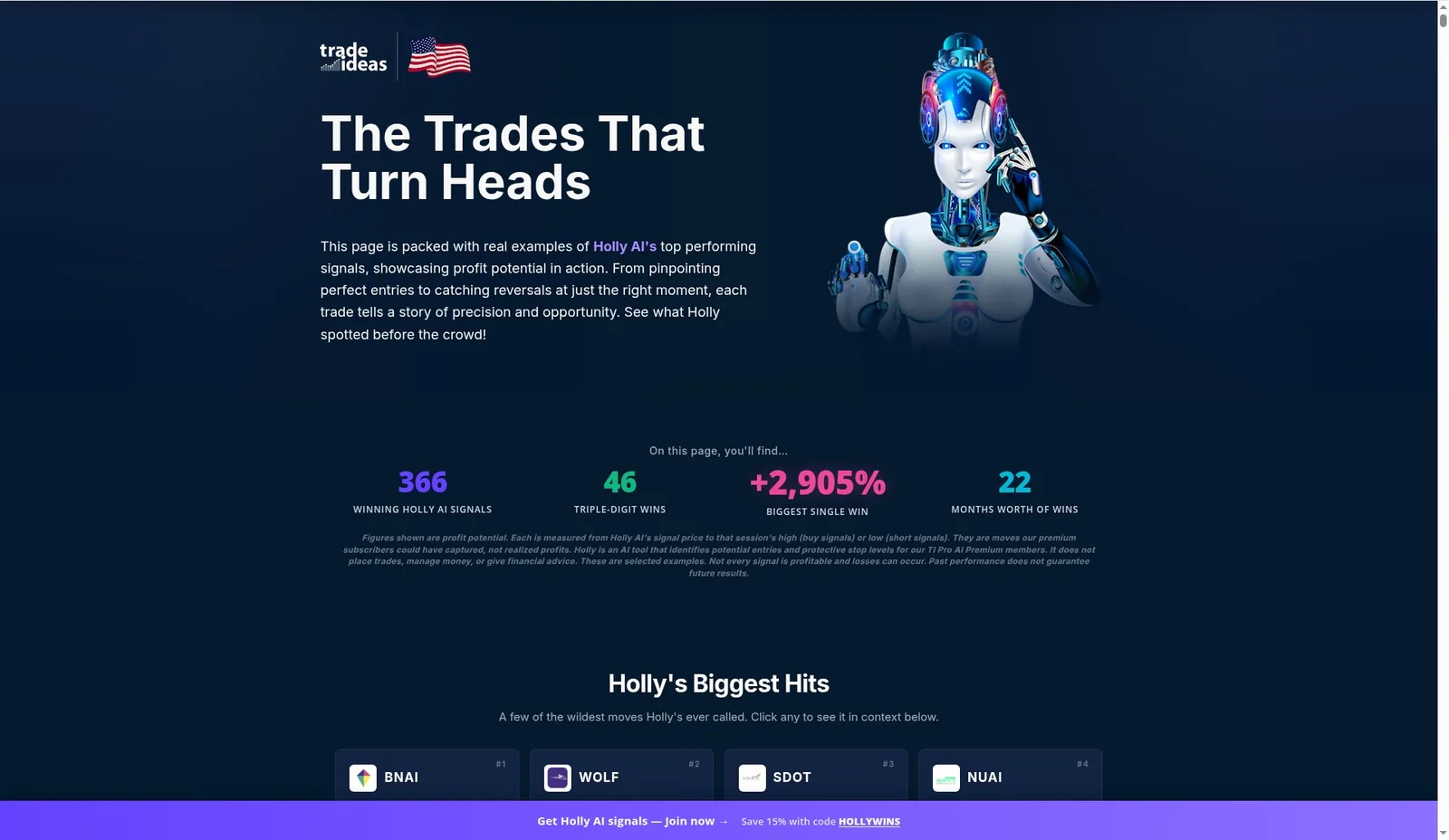
How to read Holly’s marketing numbers: the Holly Records page headlines 366 winning signals, 46 triple-digit wins and a +2,905% biggest single win over 22 months. Its own small print says these are “profit potential” figures, measured from the signal price to the session’s high or low, not realized trades. Holly also does not place trades or manage money. Use the records to see what kinds of setups Holly catches, not as a forecast of returns.
Scanning and OddsMaker backtesting
The real-time scanner is still the core of Trade Ideas, and it is still excellent. Alerts stream the instant a condition triggers, across the whole US market, with 500+ alerts and filters to combine. Right-click any alert window to configure it, or start from a preset strategy.
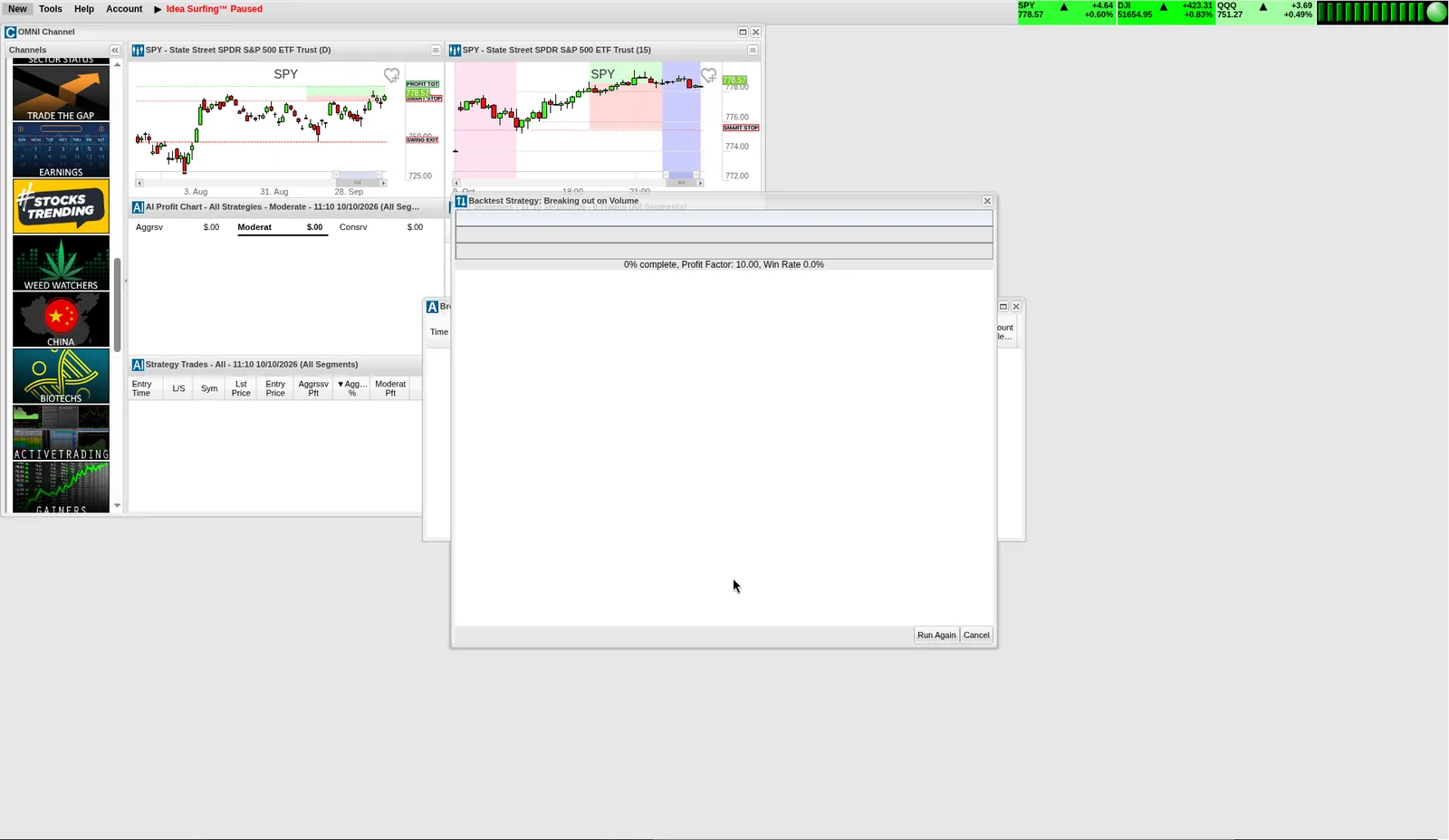
OddsMaker backtests a scan’s alerts against historical data. You set the entry, the exit (time-based, stop, target) and the direction, and it reports trades, win rate, profit factor and net result. It is an Apex (Premium) feature.
Our test run: we ran a stock scan through OddsMaker without tuning it. Over 2,219 trades it produced a profit factor of 0.66, with 37.8% winners and a −69.6% net result. That is a losing strategy, and that is the point. OddsMaker showed in minutes that this setup, run as-is, would not have worked, before any money was at risk. Its value is in iterating: change one filter, the exit or the time window, re-run, and keep only what holds up. That iteration is also where much of the “time before full value” goes.
AI and automation: which tool does what
| Feature | What it does | Who drives it | Plan |
|---|---|---|---|
| AI Assistant | Builds and edits your own scans from plain English | You | Desktop app |
| Holly AI | Generates Trade Ideas’ own trade signals with entries, stops and exits | Trade Ideas’ AI | Apex (Premium) |
| AI Strategy Lab / AI Trading Plans | Packages Holly’s pre-trained strategies into structured plans | Trade Ideas’ AI | Apex (Premium) |
| TI Wave | Buy/Sell markers on charts | Trade Ideas’ signal logic | Core (Standard) and up |
| Money Machine | Automates entries and exits for a chosen strategy under your rules | You set the rules | Apex, simulated mode only (alpha) |
| Auto Trading (Brokerage Plus) | Order templates and auto-trading strategies through a connected broker | You | Apex + an API-connected broker |
Training and community
Trade Ideas has more learning material than most scanner vendors, and much of it is free. Given how much setup the platform asks of you, it is worth using:
- Education hub with a Getting Started series and a Back to Basics course
- Learning Center and a searchable Knowledgebase (help.trade-ideas.com). Some articles are dated: the automation article was last updated in 2021.
- Free live Trading Room (Monday to Friday, during market hours)
- YouTube: about 37.4k subscribers and 6.9k videos in October 2026, with feature playlists and TradeWave Tuesdays
- Discord (about 2.9k members), plus X, Facebook and Instagram
Claims vs reality
| Trade Ideas says | What we found |
|---|---|
| The real-time scanner and charting are “among the best in the industry” | We agree on the scanner: streaming whole-market alerts with deep filters, and the Explosive Winners channel had MNDR’s 380% run on screen in our session. Charting is solid but not the reason to buy. |
| The AI Assistant “turns plain-English trading ideas into working Trade Ideas scans” | Confirmed in our pre-market volume/momentum and Mag 7 + INTC/ORCL options requests. Check the settings it chooses before trading off the alerts. |
| The AI Assistant “can refine the same scan through follow-up instructions” | Described by Trade Ideas; we report it as their claim. Whatever the assistant changes, re-check the window’s settings. |
| TI Wave’s signal logic “adjusts to the individual symbol and selected timeframe” | Trade Ideas’ description. Paper-trade it on your own symbols before relying on it. |
| Holly’s “+2,905% biggest single win” | Profit potential measured to the session high or low, per Trade Ideas’ own small print, not a realized trade. |
| “111M shares traded in July” / “108M shares traded in August” via broker integrations | Trade Ideas’ own figures, for different months on different pages. Not independently verifiable. |
| Money Machine “manages entries and exits” with a launch summary | The product page says alpha, Premium-only, simulated mode only. We saw its replay mode drive the stock races; it is not live automation yet. |
| Brokerage Plus redesign with a dockable, floating order ticket | Not in production yet, per Trade Ideas. Not reviewed. |
Pricing
| Plan | Annual price | Per month, billed annually | Monthly billing | Key features |
|---|---|---|---|---|
| Free account | $0 | n/a | $0 | Web dashboards (delayed data in our session), free Stock-info research, free Trading Room |
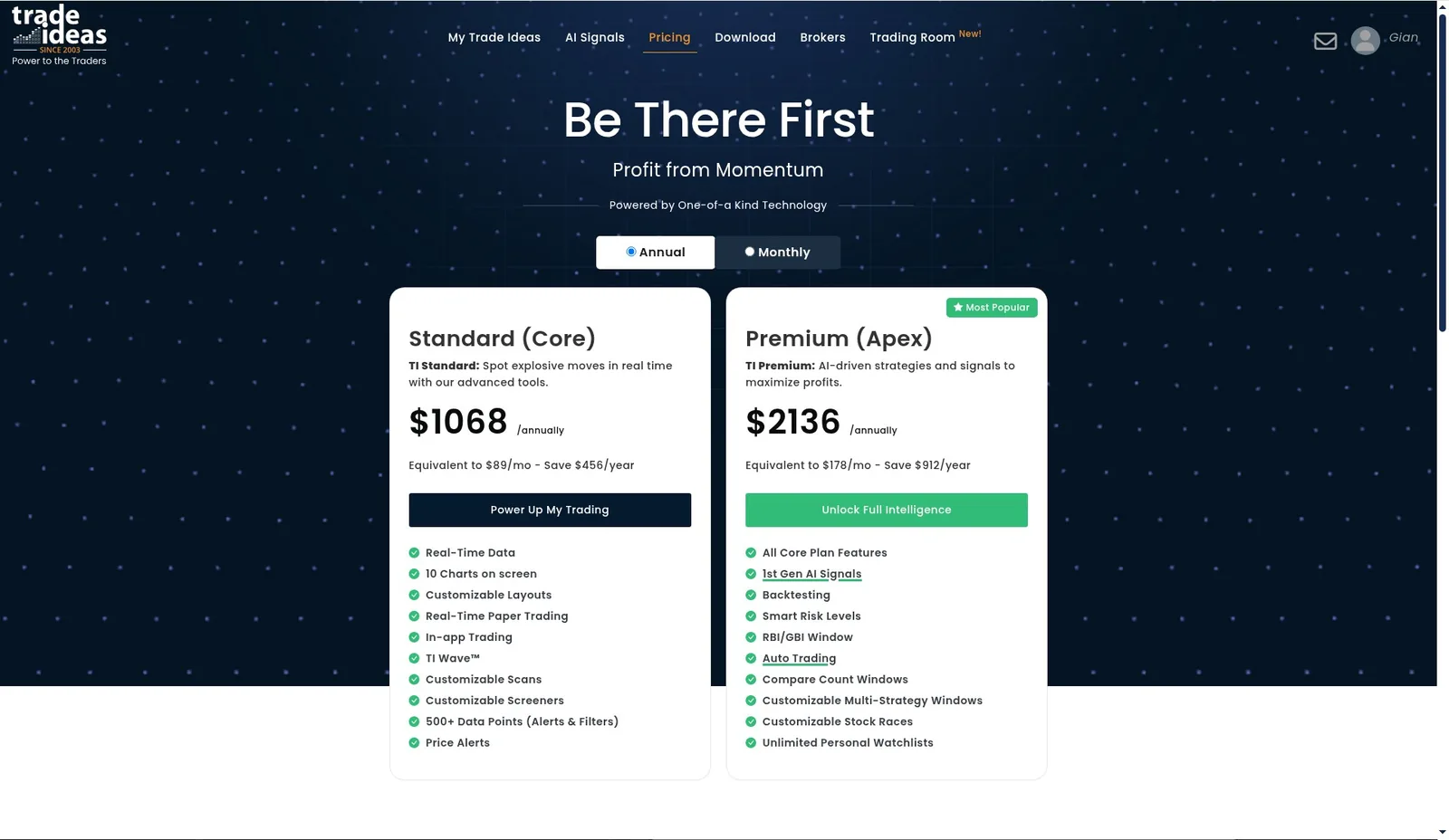
| Core (Standard) | $1,068/yr | $89/mo | $127/mo | Real-time data, 10 charts on screen, custom layouts, real-time paper trading, in-app trading, TI Wave, customizable scans and screeners, 500+ alerts and filters, price alerts |
| Apex (Premium) | $2,136/yr | $178/mo | $254/mo | Everything in Core, plus Holly AI signals, OddsMaker backtesting, Smart Risk Levels, RBI/GBI window, Auto Trading, Compare Count windows, multi-strategy windows, custom stock races, unlimited watchlists |
On monthly billing, Trade Ideas’ pricing page lists Core at $127/month and Apex at $254/month, so paying annually saves $456 a year on Core and $912 a year on Apex.
Which plan? Core gets you the real-time scanner, TI Wave and in-app trading. That is enough to find out whether Trade Ideas’ alerts fit your style, and to put in the setup time, before paying for more. Apex is for traders who will use Holly, OddsMaker and automation every week.
Pros & Cons
Pros
- + The AI Assistant turns plain-English setups, including tailored options plans, into working scans
- + A best-in-class real-time, whole-market scanner with 500+ alerts and filters
- + Seven brokers, four with direct API integration (IBKR, E*TRADE, TradeStation, Alpaca)
- + One-click Channel Bar layouts and preset strategies give you a strong starting point
- + OddsMaker backtesting tells you quickly whether a scan has an edge
- + The floating desktop toolbar suits multi-monitor setups
- + Lots of free education, a free live Trading Room and free Stock-info research
Cons
- − Not plug and play: quality comes with some setup and configuration, even with the AI Assistant
- − You still need trading knowledge and a defined style to get the most from it
- − The full feature set (AI Assistant, Channel Bar, Money Machine) is in the Windows desktop app
- − Apex (Premium) is a significant annual cost, so it makes most sense for active traders
- − Money Machine is still alpha and simulated-only, and the Brokerage Plus redesign is not out yet
- − US stocks and ETFs only
Rating Breakdown
Overall Rating
Who Trade Ideas suits
- Active day traders and momentum traders who want to see moves as they start
- Options traders on large caps who want unusual options-volume scans on a defined watchlist (see the Mag 7/INTC/ORCL example)
- Traders with a clear system who want it turned into alerts, backtested and, eventually, run in simulation
- Newer traders willing to learn. The AI Assistant and the free education make the learning curve gentler than it was, but you still need to put in the hours before the platform pays off.
Alternatives
- Trade Ideas vs Finviz: cheaper, end-of-day-style screening
- Trade Ideas vs Scanz: another real-time momentum scanner
- Trade Ideas vs TC2000 Scanner: charting-first with scanning
- Trade Ideas vs Stock Rover: fundamentals and investing research
- Trade Ideas vs Zacks
- All Trade Ideas alternatives
Trade Ideas guides
The bottom line
Trade Ideas has always had the engine. What it lacked was an easier way in. The AI Assistant, direct connections to seven brokers and the ready-made layouts supply that, so you can describe a setup and have a working scan far sooner than by learning the filter library first. It is still not plug-and-play: it needs to be configured, and you need to spend time on it before it gives its full value. Bring some trading knowledge, a clear style and that time, and Trade Ideas rewards you with one of the deepest real-time toolsets available to retail traders. It is built by advanced traders and has great functionality. For advanced traders, or anyone willing to learn, it is a good arrow in the quiver.